
How do you grant five engineers access to a single root AWS account without passing a physical phone around the office? Managing MFA for shared accounts is a notorious friction point that often leads to dangerous security shortcuts and compromised infrastructure.
When multiple users need access to a single set of credentials, the "something you have" factor of multi-factor authentication (MFA) becomes a "something we all need" problem. Without a structured administrative workflow, teams often resort to sharing screenshots of QR codes or disabling MFA entirely, both of which introduce the significant dangers of storing OTP secrets on personal devices.
The Risks of Unmanaged Shared MFA
Shared accounts inherently obscure accountability because actions in logs cannot be easily tied to a specific individual. When actions in audit trails are not reliably linked to a person, it becomes nearly impossible to determine who performed a specific task or who is responsible during a security incident. This lack of transparency increases the risk of insider threats and social engineering, as users may feel less personally responsible for actions taken under shared credentials.
When you add MFA into the mix, the risks shift from visibility to availability:
- Single Points of Failure: If the "owner" of the MFA code is on holiday or leaves the organisation, the entire team loses access to critical infrastructure, causing significant downtime.
- Offboarding Gaps: Unlike a password, an OTP secret stored on an ex-employee's personal phone continues to generate valid codes indefinitely unless the MFA is manually reset for the entire team across every affected system.
- Audit Deficits: Personal authenticator apps do not log who viewed a code or when, making it impossible to meet MFA compliance standards like SOC 2 or PCI DSS v4.0, which require documented access trails.
Administrative Workflows for Shared Access
To move beyond ad hoc security, organisations must adopt a governance-first approach to identity. This requires moving away from individual devices and toward a centralised MFA management model that prioritises visibility and control.
Identity Federation and Delegation
Whenever possible, you should avoid shared accounts by using identity federation. For example, some platforms allow for shared mailboxes with delegated access, where each user authenticates with their own individual credentials to access a common resource. This maintains a clear audit trail of who accessed the account while ensuring every user is protected by their own unique MFA factor.
The Centralised Vault Approach
For "true" shared accounts – such as root cloud consoles, registrar logins, or legacy SaaS – using a shared OTP vault is the most secure workflow. Instead of binding a secret to a personal phone, the TOTP seed is stored in a secure, encrypted repository.
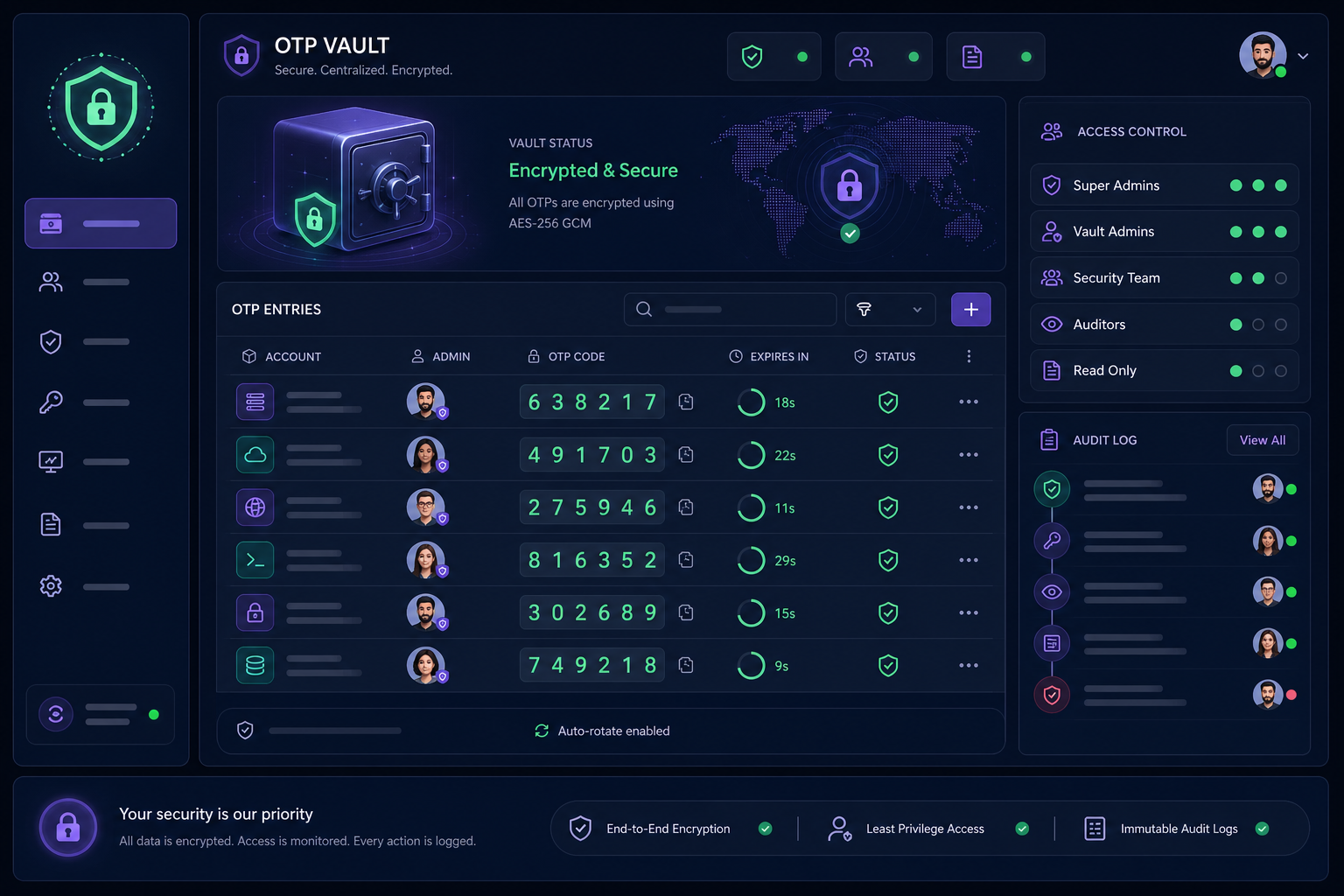
The workflow begins with the first administrator capturing the raw secret key or QR code during enrolment. This secret is then saved in a team MFA management platform using AES-256 encryption. Once stored, access is granted to specific team members based on their roles, and all users can verify they are seeing the same rotating six-digit code to confirm consistent factor enrolment.
Role-Based Access Control (RBAC)
Not every member of the IT team needs access to every administrative account. You should implement the Principle of Least Privilege by categorising MFA codes into groups and granting granular access control per code. This ensures that employees can only generate OTPs for accounts they are authorised to access for their specific job functions, significantly lowering the risk of lateral movement within your network.
Best Practices for MFA Resilience
A robust administrative workflow must account for more than just daily logins; it must also handle recovery and rotation.
- Register Multiple Factors: To avoid lockouts, always register more than one authentication method. If your primary TOTP vault is unavailable, having a hardware key or a secondary recovery method ensures business continuity without weakening security.
- Mandate Audit Logging: Use a platform that logs every "view" of an OTP code. This creates a virtual paper trail, showing exactly which user generated a code for which account and at what time, which is essential for forensic investigations.
- Instant Revocation: Ensure your workflow allows for instant access removal. When a staff member changes roles or leaves the company, you should be able to revoke their ability to see shared MFA codes in seconds without needing to re-enrol MFA for the entire department.
- Secure Recovery Information: Recovery codes should never be stored in the same location as the MFA secrets. Treat these as "break glass" credentials and store them in a separate, highly restricted privileged access management system.
Managing shared accounts does not have to mean compromising on security or dealing with the "phone-in-the-drawer" bottleneck. By moving your authentication secrets into a purpose-built vault, you gain the visibility and control required for modern IT operations.
Gatera provides a secure, centralised platform for teams to manage MFA codes with full audit logging and granular access controls. Start your 14-day free trial today and stop relying on personal phones for your organisation's security.