
Is your team’s critical access trapped on a single employee’s personal smartphone? Relying on ad hoc workarounds like Slack or SMS creates massive security gaps. Managing shared accounts for AWS or GitHub requires balancing strict security with team agility to avoid operational bottlenecks.
When multi-factor authentication (MFA) is tied to an individual's device, it creates a single point of failure. If that person is unavailable or leaves the company, your entire team faces a lockout. To maintain continuity, organisations must move beyond individual devices and toward a model that prioritises visibility and control.
The Risks of Informal MFA Sharing
Many IT departments resort to insecure methods to bypass the "one device" limitation of standard authenticator apps. These workarounds often introduce more risk than they solve, particularly regarding data exfiltration and credential theft.
- SMS and Voice Interception: Security agencies like CISA discourage the use of SMS-based MFA because these messages are not encrypted. They remain highly vulnerable to SIM swapping and interception.
- Static Screenshots: Saving QR codes or secret keys in shared folders or internal wikis exposes the seed of your security to any user with access to those documents.
- Message Fatigue: Repeatedly asking a colleague for a code via chat apps leads to MFA fatigue. This increases the likelihood that a user will eventually approve a malicious notification just to stop the interruptions.
Practical Methods for Secure MFA Distribution
To move beyond ad hoc security, your organisation should adopt a governance-first approach to identity. This involves centralising secrets rather than allowing them to be scattered across personal hardware.
Centralised MFA Vaulting
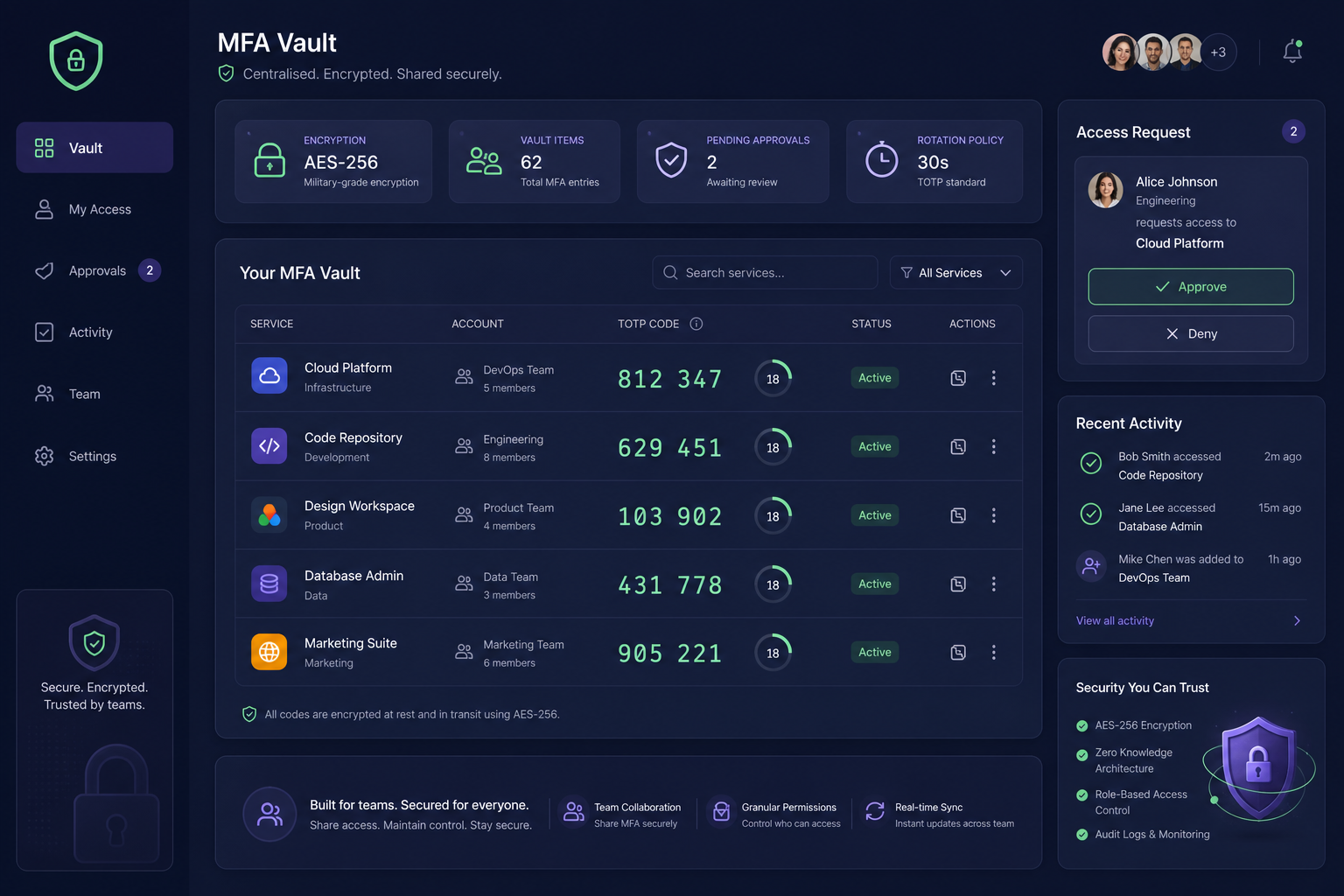
Instead of binding a secret to a personal phone, you can store the Time-based One-Time Password (TOTP) secret in a shared OTP vault. This allows authorised team members to generate live codes from a central, encrypted repository without needing the original device. A professional MFA management platform uses AES-256 encryption at rest to ensure that these secrets remain protected while staying accessible to the right personnel.
Role-Based Access Control
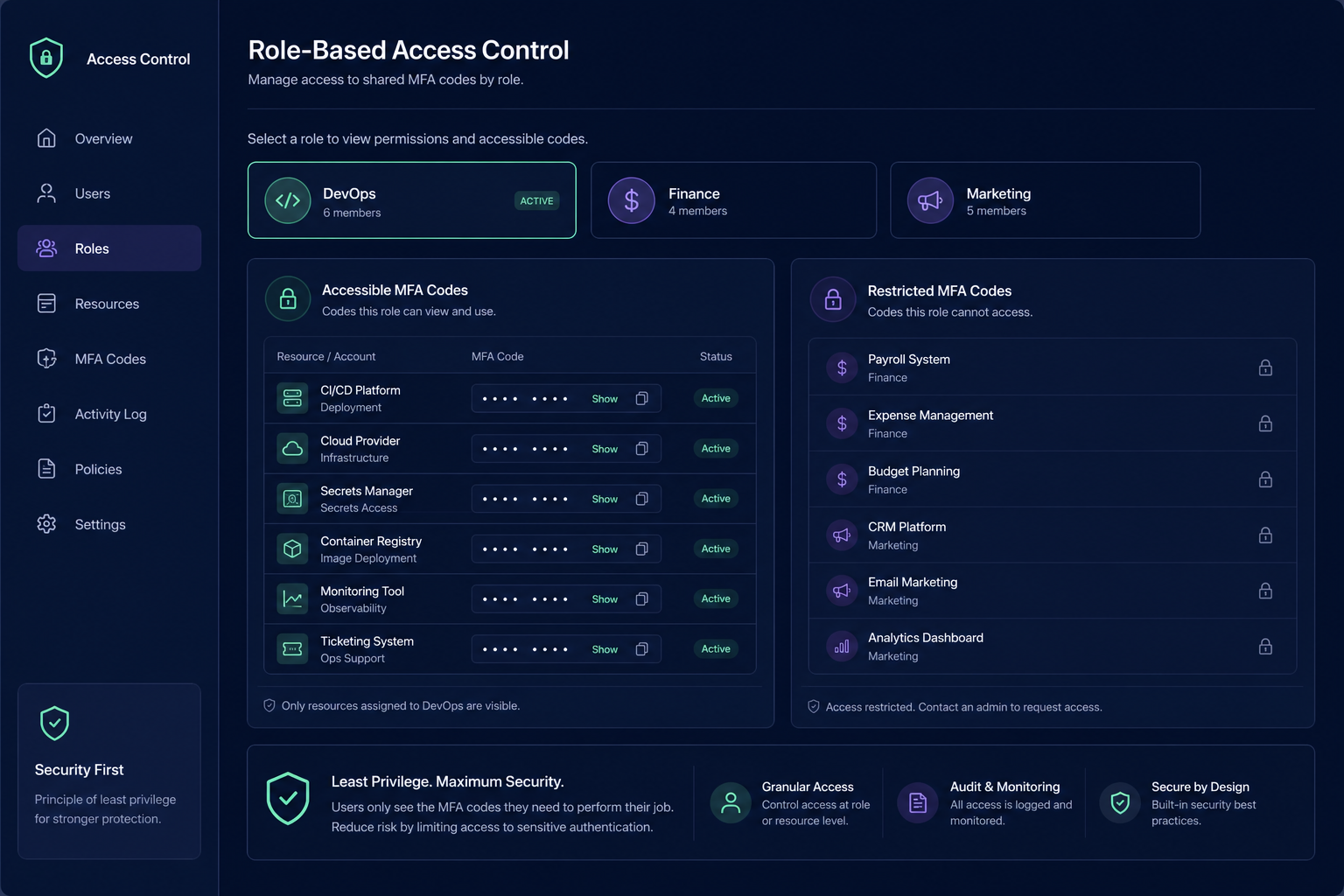
Not every team member needs access to every account. Practical sharing involves granular permissions. By implementing MFA for teams, you can organise codes into specific groups, such as Finance, DevOps, or Marketing. This ensures engineers can access infrastructure codes without ever seeing sensitive billing or payroll authentication tokens.
Phishing-Resistant MFA Migration
Where possible, you should migrate high-risk accounts to phishing-resistant methods like FIDO2 or WebAuthn hardware keys. While these are considered the gold standard for security, many legacy systems do not yet support them. In these cases, a managed cryptographic vault serves as the most secure secondary option for team environments.
Best Practices for Shared Authentication
When setting up a team-based MFA strategy, you should follow industry-standard security protocols to maintain a hardened perimeter.
- Enforce Single-Use and Short TTL: Ensure your OTPs follow OWASP guidance by enforcing short time-to-live (TTL) windows. Codes should be invalidated immediately after a successful login to prevent reuse.
- Maintain Detailed Audit Logs: Security and compliance require knowing exactly who accessed a code and when. Use a platform that provides timestamped records of all access events to maintain a clear trail for SaaS MFA management.
- Enable Instant Revocation: When an employee leaves the team, you must be able to revoke their access to the entire vault instantly. This eliminates the need to rotate every underlying OTP secret, which is a complex task that is frequently neglected.
- Require Reauthentication: For highly sensitive secrets, configure your vault to require the user to reauthenticate with their own primary factor before they can view a shared team code.
Transitioning from personal devices to a centralised system eliminates the chaos of "who has the phone?" while significantly hardening your organisation's security posture. Shared access means no single employee owns your authentication secrets, ensuring your infrastructure remains accessible even during staff transitions.
Stop relying on personal devices and secure your team's access today with a Gatera shared vault. You can start a 14-day free trial to centralise your MFA codes with AES-256 encryption and full audit logging.