
Is there a functional difference between 2FA and MFA, or is it just marketing semantics? For IT teams and MSPs, the distinction determines whether your security posture is merely "good enough" or truly resilient against sophisticated credential-based attacks.
While the terms are often used interchangeably in casual conversation, understanding their technical hierarchy is essential for designing secure identity governance policies.
Defining the Subset: What is 2FA?
Two-Factor Authentication (2FA) is a security process that requires exactly two different forms of identification to grant access to a system. Industry standards define 2FA as adding a second layer of identity verification instead of relying only on a password.
In a standard 2FA workflow, a user provides their primary credential – usually a password – and a second, independent factor. Common examples used in modern workflows include:
- A six-digit Time-based One-Time Password (TOTP) generated by an authenticator app.
- An SMS-based verification code, though this is increasingly discouraged by security authorities like the UK's NCSC due to SIM-swapping risks.
- A push notification sent to a registered mobile device.
The critical limitation of 2FA is its lack of scalability and flexibility. While it provides a significant security floor, it does not easily allow for the additional layers of verification required for high-risk administrative environments or complex compliance requirements.
The Broader Framework: What is MFA?
Multifactor Authentication (MFA) is the broader category. By definition, MFA is any authentication system that requires more than one distinct factor for success.
The key technical difference is that MFA can use two, three, or more factors to verify an identity. While all 2FA is technically MFA, not all MFA configurations are restricted to just two factors. In high-assurance environments, IT teams often implement "Three-Factor Authentication" or higher to reach advanced Authenticator Assurance Levels (AAL).
The Three Factors of Authentication
MFA relies on combining different categories of evidence to ensure a user is who they claim to be. A secure MFA management strategy typically draws from these three categories:
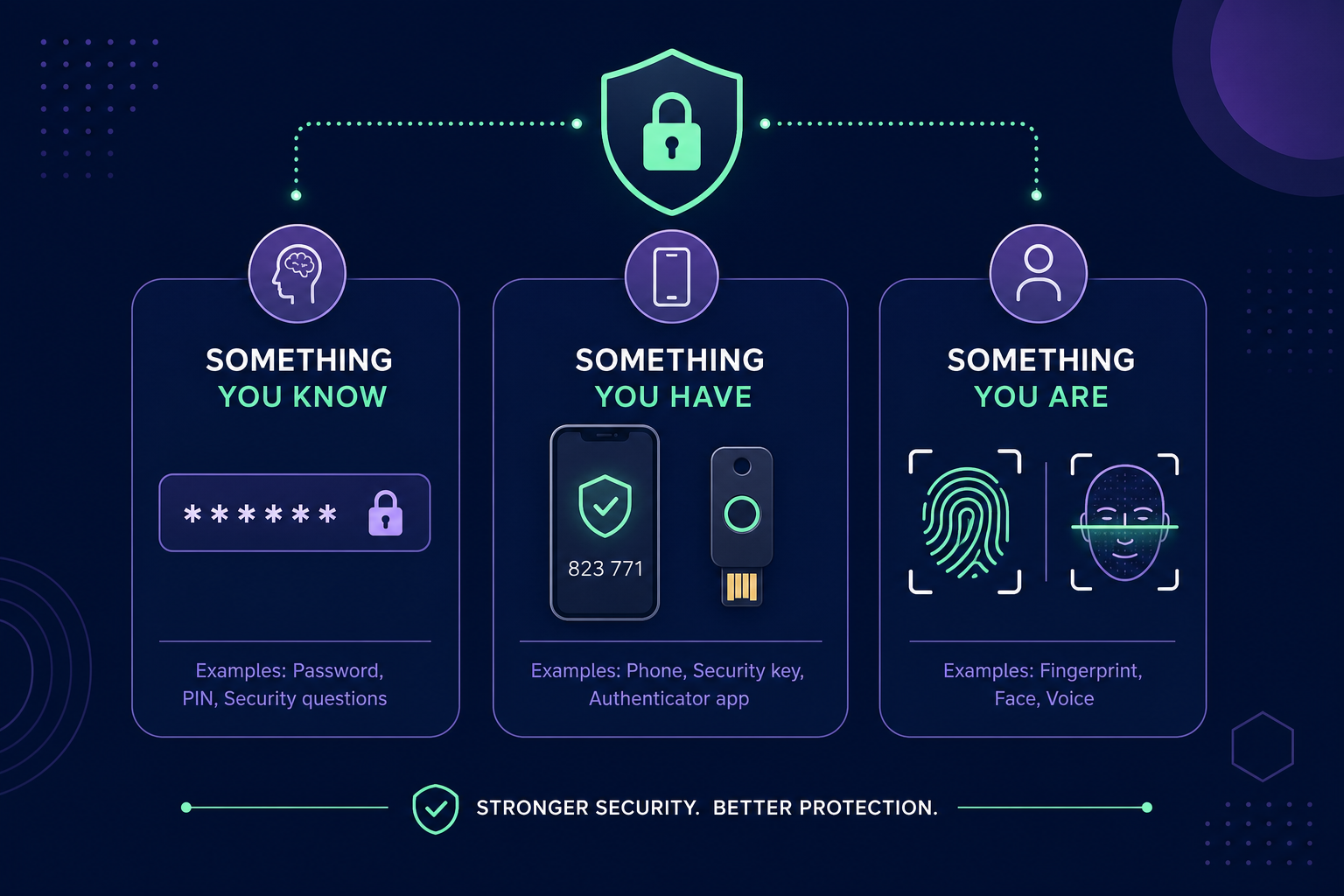
- Something you know: A password, PIN, or a memorised secret.
- Something you have: A physical security key, a trusted mobile device, or a shared OTP secret.
- Something you are: Biometric data such as fingerprints, facial recognition, or iris scans.
Why the Distinction Matters for IT Teams
For a Managed Service Provider (MSP) or an internal IT department, the "Multi" in MFA refers to more than just the number of factors; it refers to the diversity of those factors. Relying on two "Something you know" factors, such as a password and a security question, is technically two-step verification, but it is not true MFA because it does not involve different factor categories.
Enterprise identity providers allow for sophisticated configurations that incorporate conditional access policies. These policies might require a password, a managed device, and a biometric scan before granting access to sensitive cloud infrastructure. This multi-layered approach ensures that even if one factor is compromised, the others remain as a barrier.
Solving the "Single Device" Bottleneck
A common challenge for IT teams is that many MFA methods – specifically those involving possession – are tied to a single physical device, such as an engineer’s smartphone. When MFA is enabled on a shared account, such as a primary administrator login for AWS, GitHub, or a client’s Stripe account, the fragmented nature of authentication often leads to significant bottlenecks.
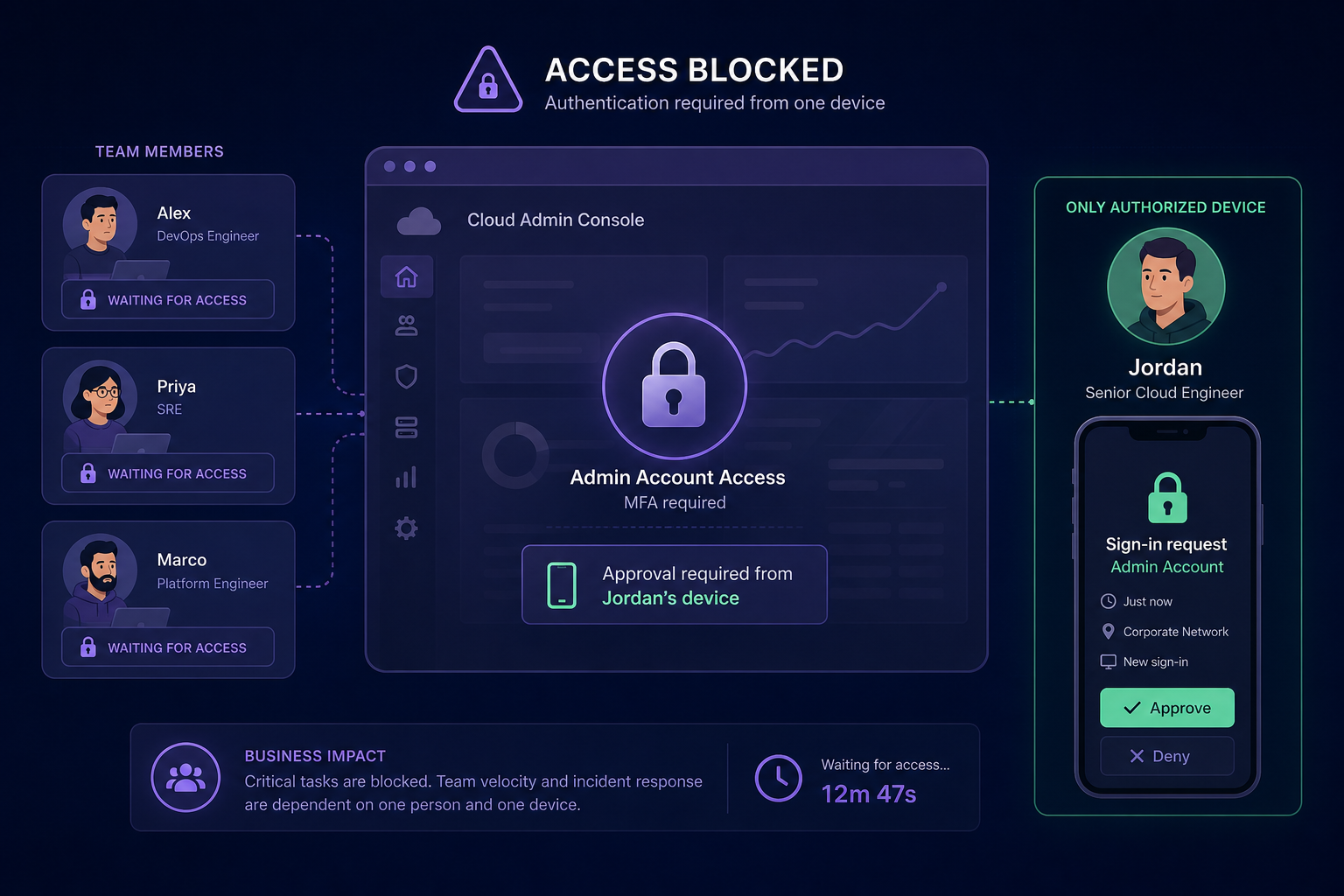
If the engineer holding the secret is off-shift, on holiday, or leaves the company, that specific "factor" is effectively lost, leading to costly downtime. To move beyond ad hoc security, modern organisations are moving toward a more structured model of MFA management. This approach allows teams to:
- Store TOTP secrets in an encrypted, AES-256 protected vault.
- Grant granular access to specific MFA codes based on team roles rather than individual ownership.
- Maintain full audit logs of exactly who accessed a code, when, and from where.
Choosing the Right Path for Your Organisation
For most standard users, basic 2FA provides a massive leap in security, significantly reducing the risk of account compromise. However, for any MSP managing multiple client environments, a robust MFA strategy is a requirement. This means moving away from personal devices and toward a model that prioritises visibility, auditability, and central control.
If your team is still relying on individual smartphones to manage authentication for critical systems, you are carrying unnecessary risk. You can centralise your team's MFA codes and eliminate single points of failure with a secure, team-based vault.
Ready to secure your team’s authentication workflow? Start your 14-day free trial with Gatera today – no credit card required.