
Ever been locked out because a client’s MFA code wouldn't sync? Choosing between TOTP and HOTP dictates how your team accesses critical infrastructure. Here is how these two authentication standards impact your security and daily workflows.
What is HOTP? (The Event-Based Standard)
HOTP, or HMAC-Based One-Time Password, is the foundation of modern OTP systems. Defined in RFC 4226, it generates a code based on two pieces of information: a shared secret key and a counter. In an HOTP system, the counter increments every time you request a new code.
The server and the client, whether it is an authenticator app or a hardware token, must stay in perfect sync. If you generate five codes on your device without actually logging in, your device’s counter will be five steps ahead of the server. To prevent lockouts, servers usually implement a look-ahead window. This allows the server to check the next 10 or 20 possible codes to see if one matches your input. If the gap becomes too large, the token becomes desynchronised, and you will require a manual reset.
What is TOTP? (The Time-Based Evolution)
TOTP, defined in RFC 6238, is an extension of HOTP that replaces the incrementing counter with a time value. Instead of waiting for a button press to change the code, TOTP uses the current Unix time divided by a specific time step, which is most commonly 30 seconds.
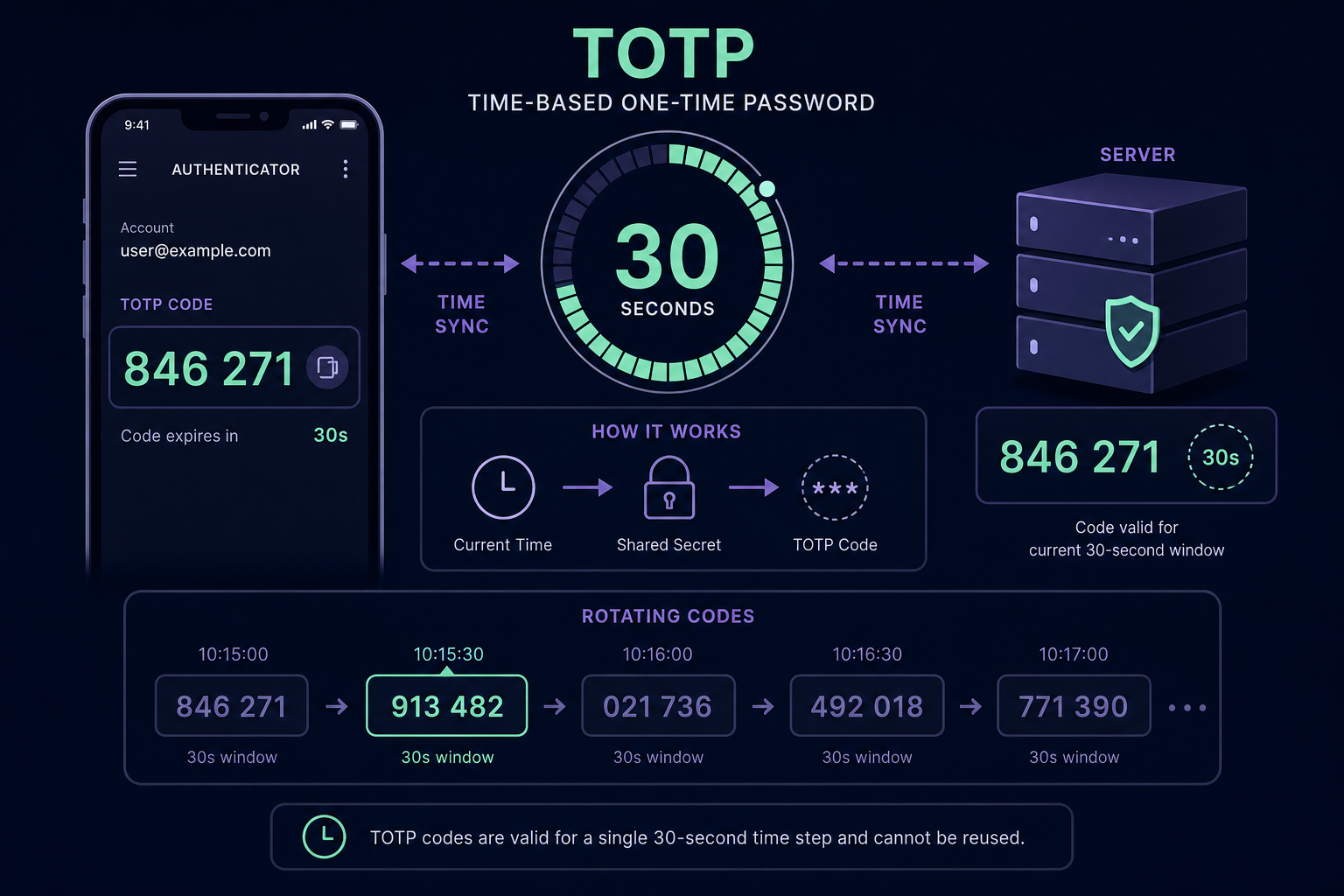
Because TOTP relies on time, it does not matter if you generate a code and do not use it. As long as the clocks on your device and the server are synchronised, they will always calculate the same code for the same 30-second window. This efficiency has made TOTP the de facto standard for nearly every major SaaS platform, including AWS, GitHub, and Microsoft 365.
Technical Differences and Security Trade-offs
While both algorithms use HMAC-SHA-1 to produce codes, their practical implementation creates different security profiles for your organisation.
- Window of Exposure: TOTP codes are ephemeral. Once the 30-second window passes, the code is useless. In contrast, an HOTP code remains valid until it is used or until the counter moves forward, making TOTP slightly more resilient against certain types of interception.
- Synchronisation Requirements: TOTP requires highly accurate clocks. If a server’s time drifts by more than a minute, authentication will fail. HOTP does not care about time but is prone to counter drift if users repeatedly trigger the generator without logging in.
- User Experience: TOTP is generally more user-friendly because it does not require manual resynchronisation as often as hardware-based HOTP tokens. However, it does require the device to have a relatively accurate sense of the current time.
Which Should You Use?
For the vast majority of IT teams and MSPs, TOTP is the superior choice for managing cloud-based accounts. Its automated rotation and widespread support across SaaS MFA management frameworks make it the industry standard for modern identity governance.
HOTP remains relevant in specific scenarios, such as hardware tokens that lack an internal clock to save battery life. It is also useful in air-gapped environments where devices are frequently offline for months and cannot reliably maintain time synchronisation with a central server.
The Challenge for Teams and MSPs
Whether you use TOTP or HOTP, the biggest security risk is often how you manage the seed or secret key. In many organisations, MFA secrets are tied to a single engineer’s personal phone. If that person is on holiday, leaves the company, or loses their device, the team is effectively locked out.
This creates a single point of failure that leads to costly downtime. For MSPs managing dozens of client environments, this problem is amplified. You need a way to manage MFA for teams that provides visibility, audit logs, and secure access without relying on individual hardware or personal mobile devices.
Centralising Your MFA Secrets
Rather than storing OTP secrets on personal devices, sophisticated IT teams use a shared OTP vault to maintain control. This transition allows you to move away from ad hoc sharing and toward a model that prioritises visibility.
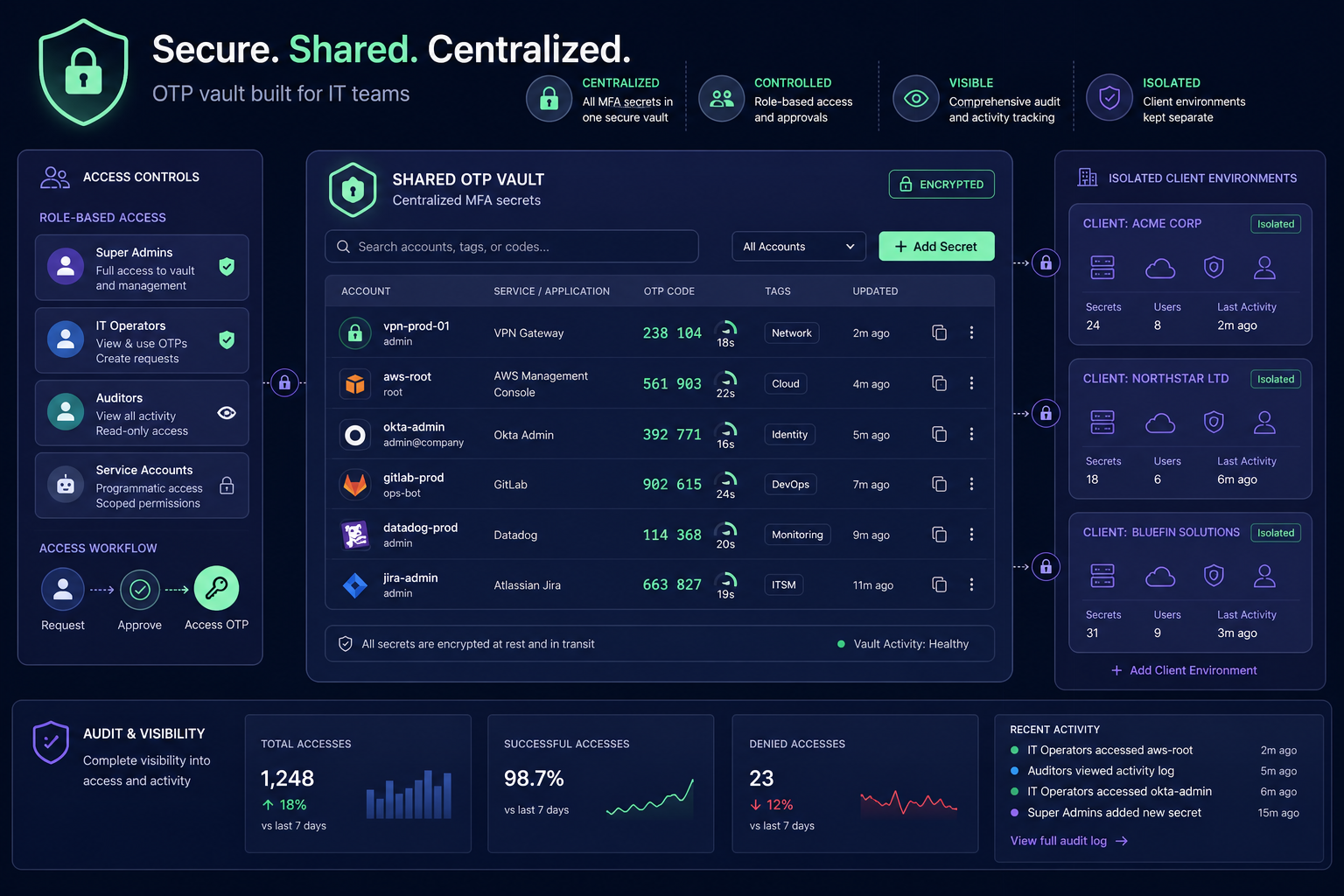
- Organise by Client: Use dedicated vaults for MSP MFA management to keep client secrets isolated and ensure staff never access the wrong credentials.
- Enforce Access Control: Grant or revoke access to specific MFA codes instantly when staff members change roles or leave the company.
- Maintain Audit Trails: Log every time an MFA code is accessed to meet compliance requirements and demonstrate absolute control over administrative access.
Understanding the difference between TOTP and HOTP is the first step toward a robust identity strategy. Gatera provides a centralised, encrypted vault designed specifically for IT teams to manage shared MFA codes securely using AES-256 encryption. Stop relying on personal phones and start managing your authentication secrets with professional-grade tools.
Start your 14-day free trial with Gatera today – no credit card required.