
Is your AWS root account one lost smartphone away from a total lockout? For IT teams, relying on an engineer's personal device for MFA creates a dangerous single point of failure that compromises both security and operational continuity.
Hardening the AWS Root User
The root user is the most privileged identity in your AWS environment, possessing absolute control over billing, resource deletion, and security configurations. Because a compromise at this level is catastrophic, AWS now enforces MFA for root users across all account types. To secure this access effectively, you should move beyond basic SMS or virtual codes on personal phones.
Professional security strategies for root accounts include:
- Prioritising Phishing-Resistant MFA: AWS recommends using passkeys or hardware security keys whenever possible. These methods provide superior protection against sophisticated phishing attacks that can intercept standard one-time passwords (OTP).
- Registering Multiple Devices: You can assign up to eight MFA devices per user, including the root user. By registering multiple devices – such as a primary hardware key and a backup stored in a shared OTP vault – you eliminate the risk of a total lockout if a single device is lost or damaged.
- Restricting Root Usage: Use the root identity only for specific tasks that require it, such as changing support plans or closing the account. For all daily administrative tasks, create IAM users with limited, specific permissions.
Transitioning from Personal Devices to Team MFA
Managed Service Providers (MSPs) and internal IT departments often struggle with fragmented authentication, where critical secrets are tied to individual employees' hardware. If an engineer is unavailable, on holiday, or leaves the organisation, your team can lose access to vital infrastructure, leading to expensive downtime.
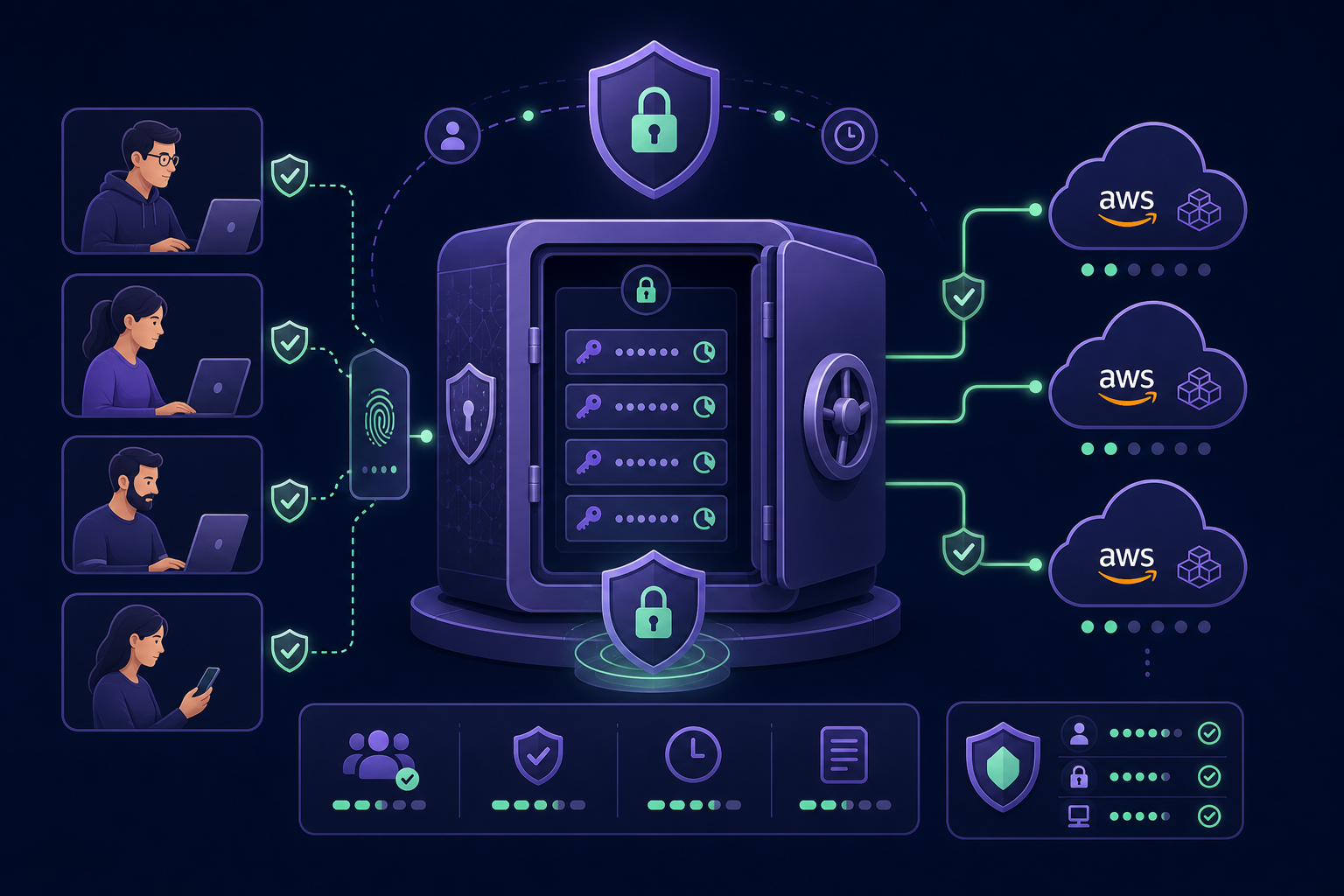
Adopting a governance-first approach allows you to regain control over these secrets. By using a centralised MFA vault, your team can store and access AWS OTP codes in a secure, encrypted repository. This ensures the organisation maintains ownership of the authentication secrets, rather than individual staff members.
Enforcing MFA for IAM Users and API Access
Securing the Management Console is only the first step. You must also ensure that programmatic access via the CLI and API is protected. AWS allows you to enforce MFA requirements through IAM policies using specific condition keys to verify the user's authentication status.
- aws:MultiFactorAuthPresent: You can include this condition in your IAM policies to deny access to sensitive API operations unless the user has authenticated with MFA.
- aws:MultiFactorAuthAge: This key checks the time elapsed since the MFA sign-in occurred. It allows you to enforce re-authentication for high-risk actions if the original MFA session has expired.
As your organisation grows, MFA for teams becomes essential for scaling access. Instead of managing dozens of individual physical devices, a centralised system allows you to grant granular access to specific MFA codes based on roles, ensuring engineers only see the credentials for the environments they are authorised to manage.
MFA Management for MSPs
MSPs face the unique challenge of managing authentication across multiple client AWS accounts simultaneously. Sharing codes via insecure messaging apps or spreadsheets creates a massive security gap and makes passing a security audit nearly impossible.
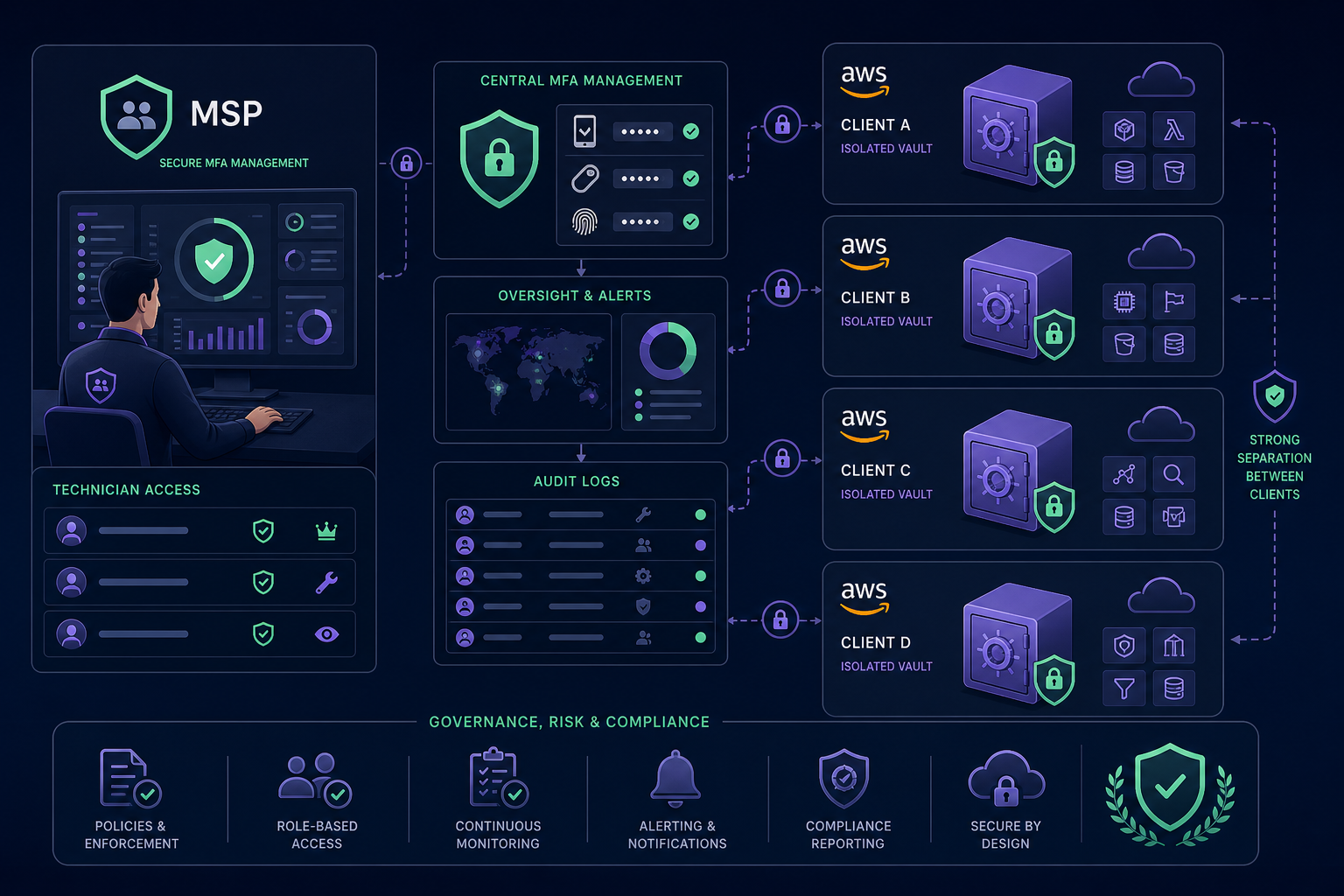
Professional MSP MFA management requires several layers of control:
- Per-Client Isolation: Each client's MFA secrets should reside in dedicated, isolated vaults to prevent technicians from accidentally accessing the wrong environment.
- Instant Revocation: When a staff member changes roles or leaves the MSP, you must be able to revoke their access to all client MFA codes immediately.
- Audit-Ready Logs: You should maintain detailed records of who accessed which MFA code and when. This transparency is vital for demonstrating compliance to clients and meeting regulatory standards.
Avoiding Account Lockout and Access Risks
The most common operational risk with AWS is the "lockout" scenario caused by a missing MFA device. To mitigate this, ensure your recovery plan does not rely on a single physical object. Storing a backup of the MFA secret in an encrypted, AES-256 protected repository provides your team with a secure "break-glass" path that remains under organisational control at all times.
Securing your AWS infrastructure requires moving beyond ad hoc security and adopting tools that provide visibility, resilience, and professional-grade control. Centralise your authentication secrets to eliminate single points of failure and protect your critical cloud resources. Start your 14-day free trial of Gatera today to secure your team's access and streamline your MFA workflows.