
Could a single stolen password compromise your entire business network? Multi-factor authentication (MFA) adds critical security layers, ensuring that knowing a password is no longer enough to gain access. By requiring multiple verification forms, you can effectively neutralise the threat of stolen credentials.
Defining Multi-Factor Authentication
Multi-factor authentication is a security framework that requires more than one distinct authentication factor for successful verification. According to industry standards from bodies like NIST, this method provides high-assurance authentication by requiring you to prove possession and control of multiple independent credentials.
Rather than relying on a single point of failure – the password – MFA creates a layered approach to securing online accounts and the data they contain. If one factor is compromised, an unauthorised user still faces at least one more barrier before they can access your systems. This significantly reduces risk, as an attacker who steals a username and password would still be unable to sign in from a new location without the additional verification step.
The Three Factors of Authentication
To be considered true multi-factor authentication, a system must pull from at least two distinct categories of identity verification. These categories are defined by what a user knows, what they possess, or who they are.
- Something you know: This is the most common factor and includes knowledge-based credentials like a password, a PIN, or the answer to a secret security question.
- Something you have: This involves a physical object or a digital token that you possess. Examples include a smartphone with an authenticator app, a physical security key, or a smart card.
- Something you are: These are biological traits, also known as biometrics. This category includes fingerprint scans, facial recognition, or iris patterns.
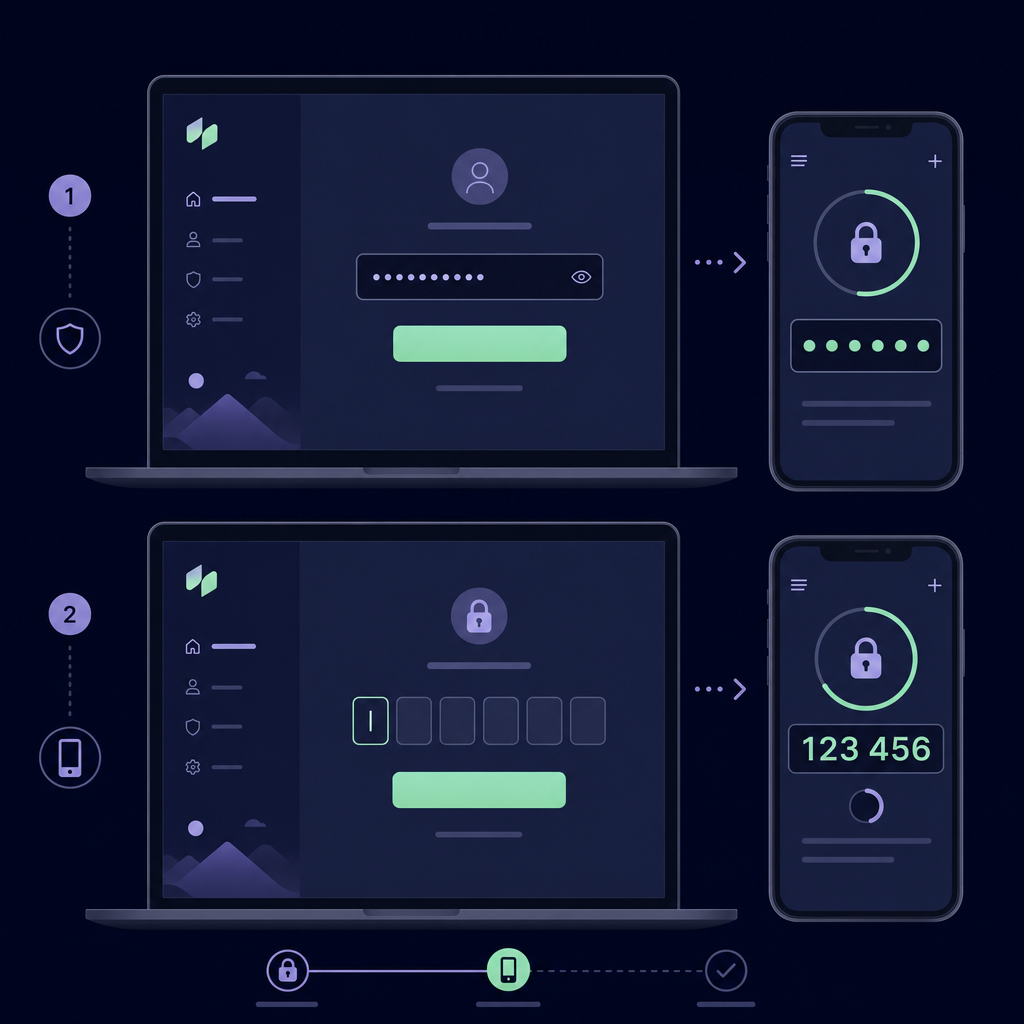
A standard sign-in flow typically adds a second verification step immediately after you enter your password. For example, after submitting your credentials, you might be prompted to enter a unique code generated by an app on your phone to prove you have physical possession of that registered device.
How MFA Mechanics Work: TOTP and HOTP
Most modern SaaS platforms and internal tools rely on two primary cryptographic mechanisms to generate the "something you have" factor. Both methods ensure that the authentication code is temporary and difficult to intercept.
TOTP (Time-based One-Time Password)
This is the most common form of MFA used by major services such as Google, Microsoft, and GitHub. When you set up MFA, the service provides a secret key, often shared via a QR code. Your authenticator app uses this key combined with the current time to generate a unique six-digit code that changes every 30 to 60 seconds. Because the code is time-sensitive, it becomes useless to an attacker almost immediately after it is used or expires.
HOTP (HMAC-based One-Time Password)
Unlike TOTP, which uses time as the moving factor, HOTP uses a counter. Every time you request a code, the counter increases on both the server and your device. The code remains valid until it is used or until a new code is generated. While effective, this can sometimes lead to synchronisation issues if a code is generated but never submitted to the service.
Why MFA is Essential for Business Security
Passwords are frequently leaked in data breaches or harvested through sophisticated phishing attacks. MFA reduces the risk of password-only access because it forces a threat actor to bypass multiple independent hurdles. Even if a password is sold on the dark web, the account remains protected by the second factor.
For IT teams, implementing MFA is the most effective way to prevent identity-based attacks. However, as organisations grow, managing these codes becomes a logistical challenge. Many teams fall into the trap of fragmented authentication, where administrative MFA codes are tied to individual employees' personal smartphones. This creates a dangerous security gap when an employee leaves the company or loses their device, potentially locking the entire team out of critical infrastructure.
Moving Toward Secure Team Authentication
Understanding the fundamentals of MFA is the first step toward a robust security posture. For businesses, the next step is ensuring that these security layers do not hinder productivity or create "lock-out" scenarios. To move beyond ad hoc security, organisations must adopt a governance-first approach to identity.
Instead of binding critical secrets to personal hardware, professional teams use a centralised MFA vault. This allows your team to securely share OTP codes using AES-256 encryption to protect the underlying secrets while maintaining a clear audit log of who accessed which code and when.
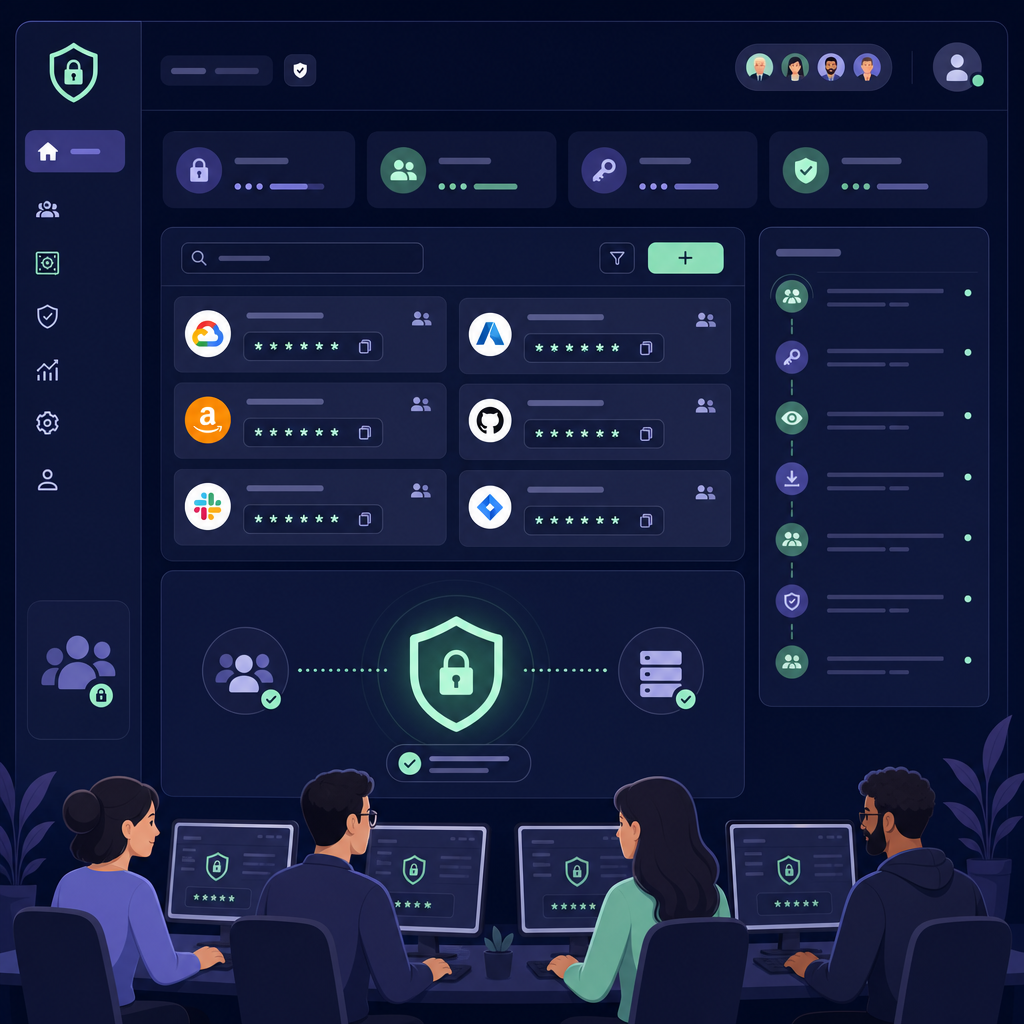
By transitioning from individual-based MFA to a governed MFA for teams model, you can maintain high security standards without the operational headaches of managing physical devices.
Protect your administrative accounts and eliminate the risks of shared personal devices. Start your 14-day free trial with Gatera's MFA management platform today and see how simple team-based authentication can be.