
How often does a critical client ticket stall because the MFA code is locked on a technician’s personal phone? Relying on ad-hoc authentication creates administrative bottlenecks and security gaps that jeopardise your service level agreements and client trust.
The Risk of Distributed MFA
In many MSP environments, multi-factor authentication (MFA) is treated as a personal security layer rather than a managed enterprise asset. When a primary administrator login for a client’s Microsoft 365 or AWS account is tied to a single engineer’s smartphone, you create a dangerous single point of failure. If that engineer is on holiday or leaves the firm, your entire team loses access to critical infrastructure, leading to costly downtime.
Beyond availability, this "shadow MFA" approach lacks visibility and creates complex MSP authentication challenges. Without a centralised system, you cannot verify who accessed a code or when they used it. Furthermore, NIST SP 800-63B Rev. 4 now classifies SMS OTP as a restricted authenticator due to its vulnerability to SIM-swapping and interception. Transitioning to a zero-trust MFA model requires moving away from individual devices toward a managed, encrypted repository.
Aligning with NIST Standards
To maintain high security standards, MSPs should aim for Authentication Assurance Level 2 (AAL2) or higher. NIST guidelines state that verifiers must offer at least one phishing-resistant authentication option at AAL2, while AAL3 requires cryptographic authenticators with non-exportable keys.
For service providers, this means moving beyond "what you have" on a personal device to a centralised MFA vault that utilises AES-256 encryption. This ensures that even if you are using standard TOTP (Time-based One-Time Passwords), the secrets are stored in a secure, audited environment rather than an unmanaged app on a technician's phone.
Best Practices for Multi-Tenant MFA Management
Managing credentials for dozens of clients requires strict isolation and a governance-first approach to SaaS MFA management. To eliminate bottlenecks without compromising security, your workflow should follow these core principles:
Enforce Client Isolation
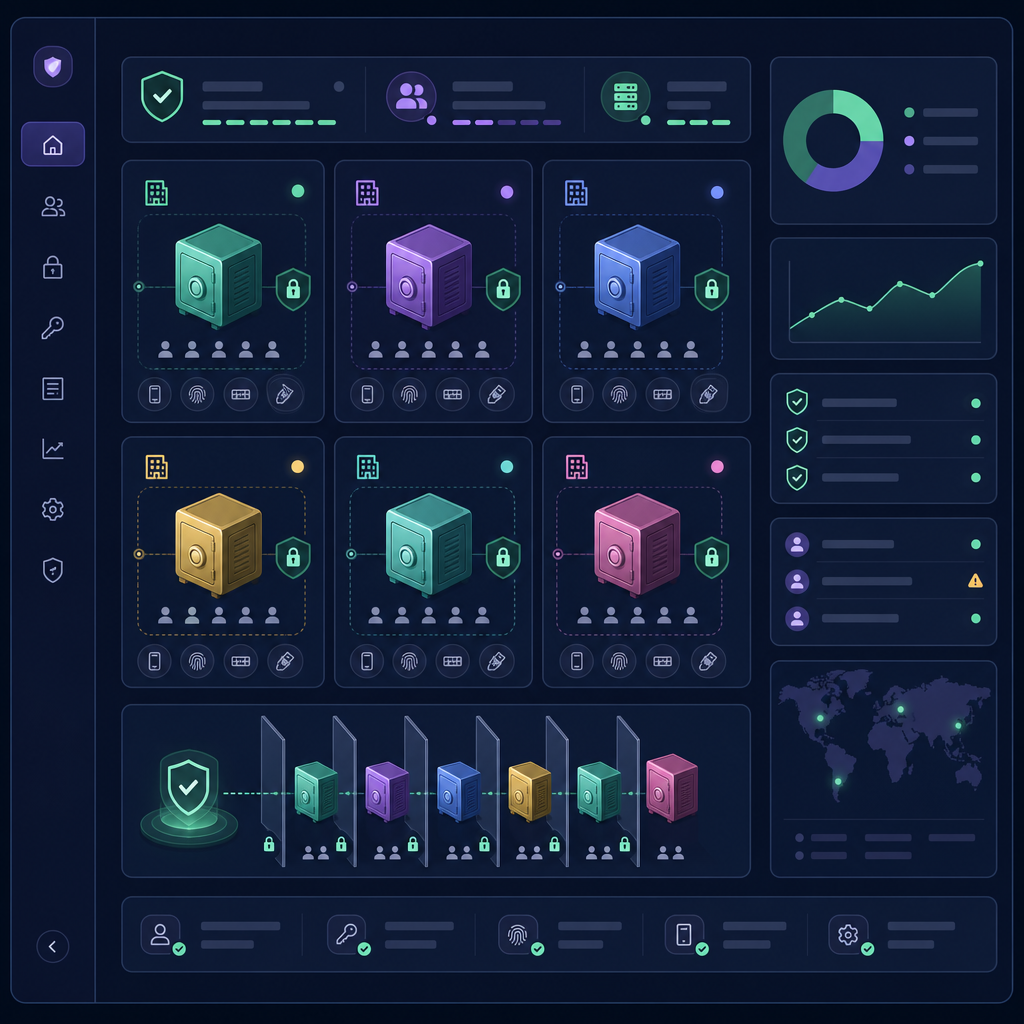
Credential sprawl multiplies with every new client. Your internal workflows must ensure that technicians only see the codes necessary for their current assignments. Using MSP MFA management tools allows you to create isolated vaults for each client. This architecture prevents a technician working on Client A from accidentally or intentionally viewing codes for Client B, ensuring separation is enforced at the design level.
Transition to Team-Based Authentication
Individual ownership of secrets is a significant liability. By adopting MFA for teams, authentication secrets live in a shared, encrypted space rather than a personal device. This allows any authorised staff member to generate a code instantly, ensuring that service delivery is never interrupted by staff turnover, absence, or lost hardware.
Maintain Audit-Ready Logs
Security compliance requires a clear answer to who accessed which code and when. Every time a staff member retrieves a shared OTP, the action should be timestamped and attributed to their specific identity. These logs are essential for demonstrating absolute control over administrative access during client audits or security reviews.
Streamline Onboarding and Offboarding
When an employee leaves, your exposure window should be zero. A centralised system allows you to revoke a staff member's access to all client vaults instantly. This is far more secure and efficient than manually changing MFA seeds across hundreds of client accounts because a technician’s personal phone was the primary authenticator.
Implementing a Secure Workflow
A secure workflow begins by identifying whether your accounts require TOTP or HOTP standards. While both are one-time password standards, they fit different use cases, though most modern SaaS platforms, from Google Workspace to Stripe, utilise TOTP.
Instead of scanning a QR code with a personal mobile device, technicians should import the secret key into a secure MFA management platform. This allows the MSP to grant granular access, defining who can merely view codes and who can manage the vault settings. By integrating these practices into your standard operating procedures, you eliminate the "MFA bottleneck" while providing a more robust, compliant service to your clients.
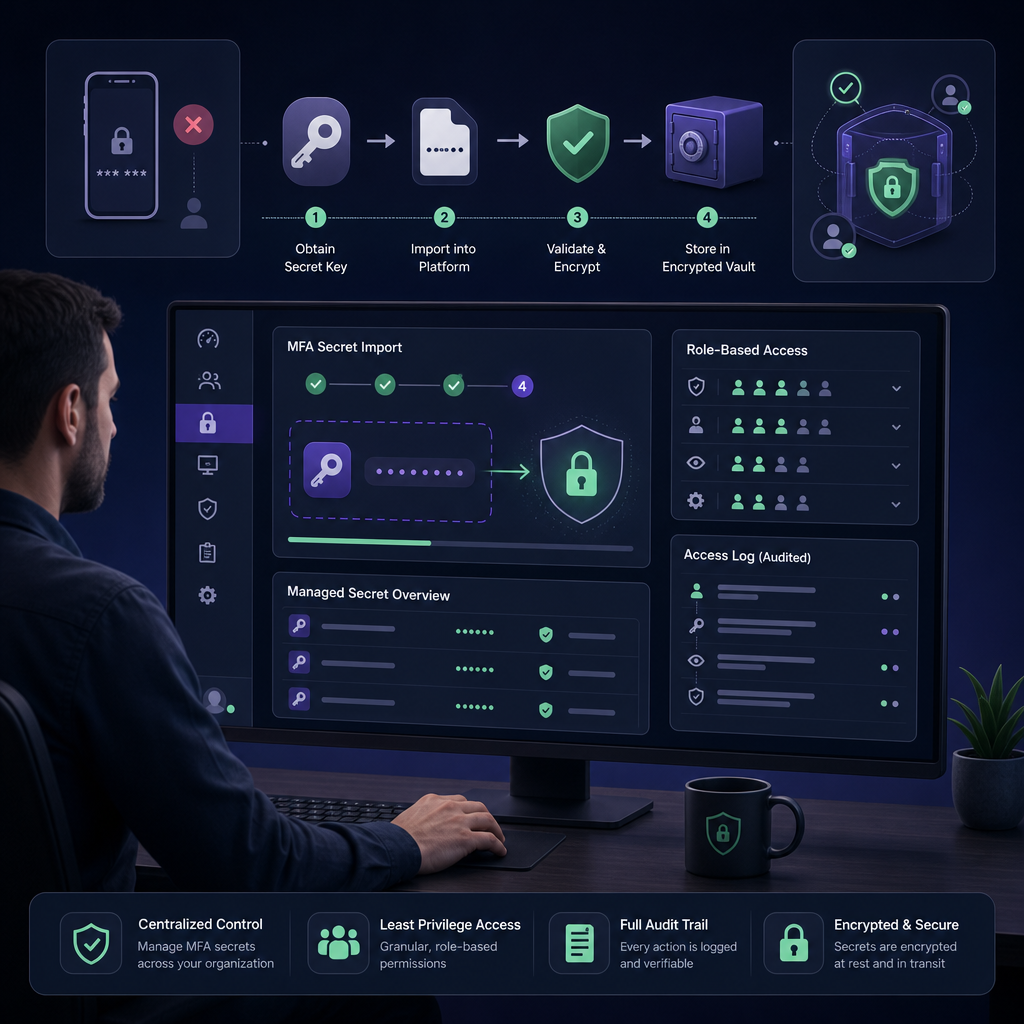
Centralising your authentication secrets replaces the chaos of personal devices with a governed, professional infrastructure. This transition not only protects your clients from unauthorised access but also ensures your technicians have the tools they need to resolve issues without delay.
Start your 14-day free trial with Gatera today to secure your client MFA codes and streamline your MSP workflows.