
When a client’s MFA is bypassed, do you have a plan to stop the bleeding? For MSPs managing dozens of tenants, a clinical approach to investigation and remediation is the only way to limit the blast radius.
Phase 1: Investigation and Detection
The moment a suspicious login is reported or an alert triggers, you must identify the entry point. Attackers often bypass MFA through session hijacking, adversary-in-the-middle (AiTM) phishing, or MFA fatigue.
- Review Sign-in Logs: Examine Microsoft Entra ID sign-in logs, specifically the Authentication Details tab, to examine MFA prompts and conditional access usage. Look for successful logins that bypass policies or use unfamiliar IP addresses and locations.
- Audit MFA Methods: Check the user’s registered security info for unfamiliar phone numbers or newly added authentication methods. Attackers often add "shadow" methods to maintain persistence after a password reset.
- Search for Fraud Reports: Review Entra ID audit logs for events such as "Fraud reported – user is blocked" or "Suspicious activity reported." These often indicate that a user denied an MFA prompt they did not initiate.
- Check Persistence Mechanisms: Audit mailbox forwarding settings and inbox rules. Attackers frequently create rules to move security alerts to the "Deleted Items" folder or exfiltrate data automatically.
- Utilise the Unified Audit Log: Review user activity across SharePoint, OneDrive, and Teams to identify potential data access or exfiltration following the identity compromise.
Phase 2: Immediate Containment
Once a compromise is confirmed, you must "stop the bleed" to prevent lateral movement and further data loss within the client environment.
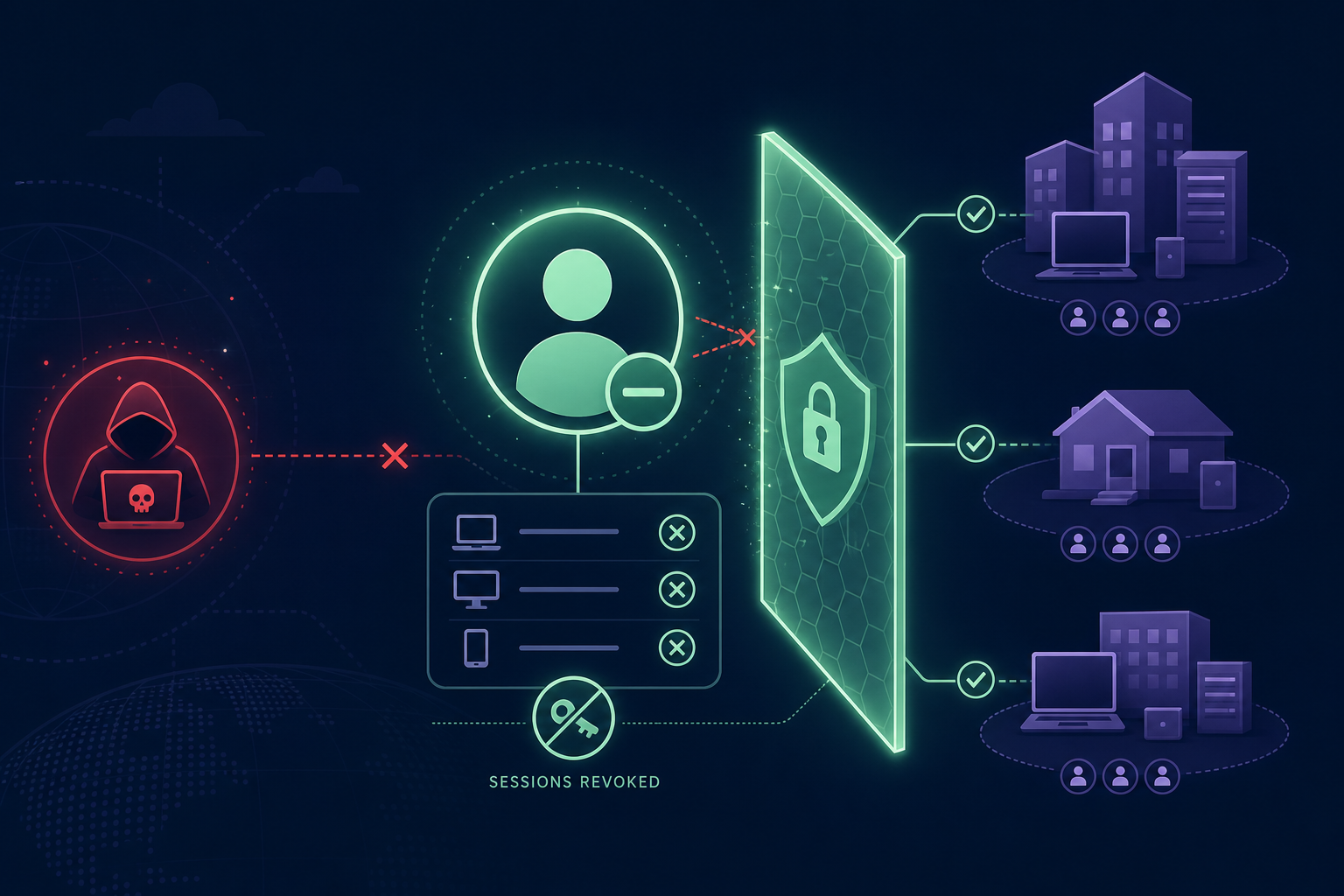
- Disable the Account: Until the investigation is complete, the preferred action is to disable the affected Microsoft 365 user account entirely to prevent any further malicious activity.
- Revoke Active Sessions: Resetting a password is not enough. You must revoke all active sessions and access tokens for each suspected account so that current attacker sessions are invalidated immediately.
- Block Legacy Authentication: Many breaches occur because legacy protocols like IMAP, POP3, or SMTP bypass modern MFA. Use Conditional Access policies to block these across the entire tenant.
- Enforce Phishing-Resistant MFA: If the client relies on SMS or voice calls, they remain vulnerable to SIM swapping and interception. Transitioning to Zero Trust MFA methods, such as FIDO2 or hardware keys, significantly reduces the risk of a bypass.
- Shorten Session Lifetimes: Limit the risk of session hijacking by reducing token and cookie durations, ensuring that authentication remains fresh and monitored.
Phase 3: Remediation and Recovery
Cleaning up after the breach ensures the attacker cannot simply walk back in through a back door or a dormant permission.
- Purge Malicious MFA Devices: Manually remove any unrecognised MFA methods or devices from the user’s profile to ensure the attacker loses their second factor.
- Revoke App Consent: Review the list of third-party applications with user consent. Attackers often use malicious OAuth apps to maintain access to data without needing the user's updated credentials.
- Scan for Malware: Before allowing the user to log in again, ensure their local devices are cleared of malware by running a full antivirus scan with updated definitions.
- Verify Administrative Roles: Ensure no unauthorised administrative roles were assigned to the compromised account. This is a critical component of privileged access management to prevent "god mode" access from being granted to an intruder.
- Reset Credentials and Re-enable: Perform a final password reset following official policy guidance, re-enable the account, and verify that the user's new credentials and MFA methods are functioning correctly.
Strengthening Identity Security for MSPs
The biggest risk to an MSP is "Shadow MFA" – where authentication secrets are tied to a single engineer’s personal smartphone. This creates a dangerous single point of failure and makes response nearly impossible if that technician is unavailable or leaves the firm.
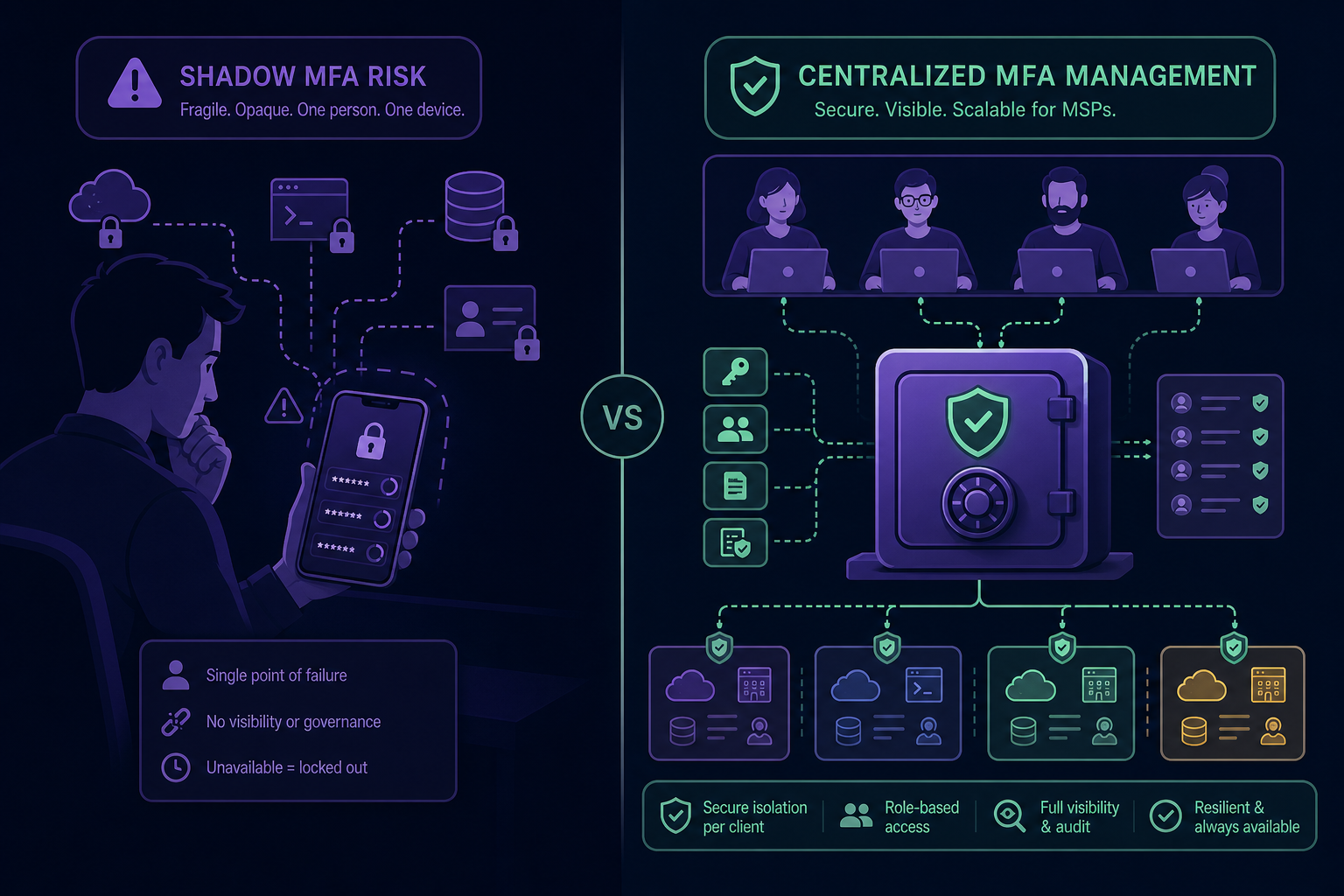
To prevent future incidents, MSPs should move towards centralised MFA management. By using a shared OTP vault, you ensure that:
- Access is Audited: You can see exactly who accessed a client’s MFA code and when, providing the detailed records required for forensic investigations and MFA compliance for IT teams.
- Revocation is Instant: If a technician’s account is suspected of compromise, you can revoke their access to all client MFA vaults in seconds, invalidating sessions immediately.
- Client Isolation is Maintained: Using per-client vaults ensures that a breach in one client environment does not provide a roadmap to others, enforcing separation at the architecture level.
Effective incident response is about more than just reacting; it involves building a security checklist that removes single points of failure. By centralising your client MFA secrets, you gain the visibility and control needed to shut down threats before they become catastrophes.
Ready to secure your client authentication workflow? Start your 14-day free trial with Gatera and move your team’s MFA codes into a secure, audited, and centralised vault today.