
Is your team’s Stripe access tethered to a single engineer’s personal phone? Relying on individual devices for critical financial infrastructure creates a dangerous single point of failure that can lock your entire organisation out of its revenue stream during an emergency.
How to Enable Stripe Multi-Factor Authentication
Stripe allows team members to configure security settings directly within the Dashboard. To maintain the highest level of security, IT administrators should encourage the use of TOTP-based authenticator apps over SMS, which remains vulnerable to SIM-swapping attacks and lacks encryption.
To set up multi-factor authentication (MFA) on a Stripe account:
- Navigate to the Personal details page within your Stripe Dashboard.
- Locate the Two-step authentication section.
- Select Add authentication method to begin the configuration.
- Choose your preferred method. Stripe supports passkeys, security keys, and authenticator apps. Note that hardware-based methods like Touch ID or Windows Hello usually require at least one other method to be enabled first.
- If you are using an authenticator app, scan the provided QR code with your shared OTP vault or team authenticator.
- Enter the six-digit code to confirm the connection and immediately save your provided backup codes in a restricted, privileged access management system.
Stripe recommends enabling at least two authentication methods. This ensures you have a secondary way to sign in if a primary device is lost or a specific authentication factor becomes unavailable.
Why Personal Authenticator Apps Fail IT Teams
While individual apps like Google Authenticator are sufficient for personal use, they lack the governance features required by modern IT teams and MSPs. When a Time-based One-Time Password (TOTP) secret is stored on a personal device, you cannot audit who accessed the code or revoke access instantly when a technician leaves the company.
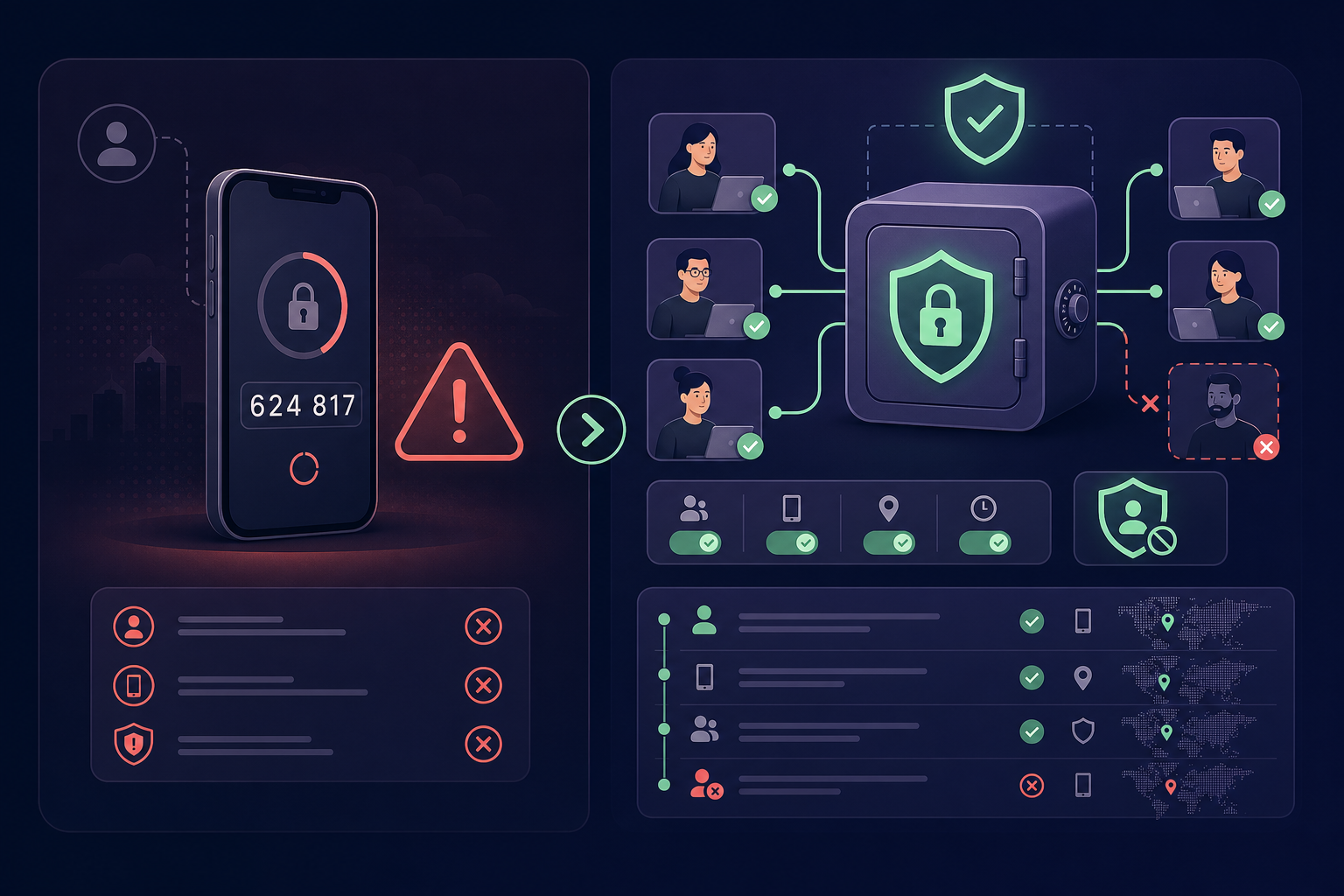
Using a centralised MFA vault addresses these critical gaps by:
- Eliminating Single Points of Failure: You no longer have to wait for a specific employee to provide a login code while they are on holiday or away from their desk.
- Providing Audit Trails: Every "view" of an OTP code is recorded, identifying exactly which user generated a code and the precise time of access.
- Enforcing Granular Access: You can apply the Principle of Least Privilege by organising MFA codes into groups based on department, seniority, or client assignment.
Enforcing Team-Wide MFA Requirements
For organisations managing sensitive financial data, MFA should not be an optional setting left to individual discretion. Stripe administrators have the authority to enforce security protocols across the entire team through the Team settings page.
By toggling the "require two-step authentication for your team" option, you ensure that:
- Existing users without MFA are forced to set it up at their very next login.
- New users invited to the account must configure a second factor before they are permitted to join.
- The risk of account takeover via compromised passwords is significantly reduced across the entire organisation.
When managing these requirements, it is essential to use a best-in-class authenticator for teams to prevent the friction that often leads users to seek workarounds or bypass security controls.
Managing Stripe MFA for MSPs
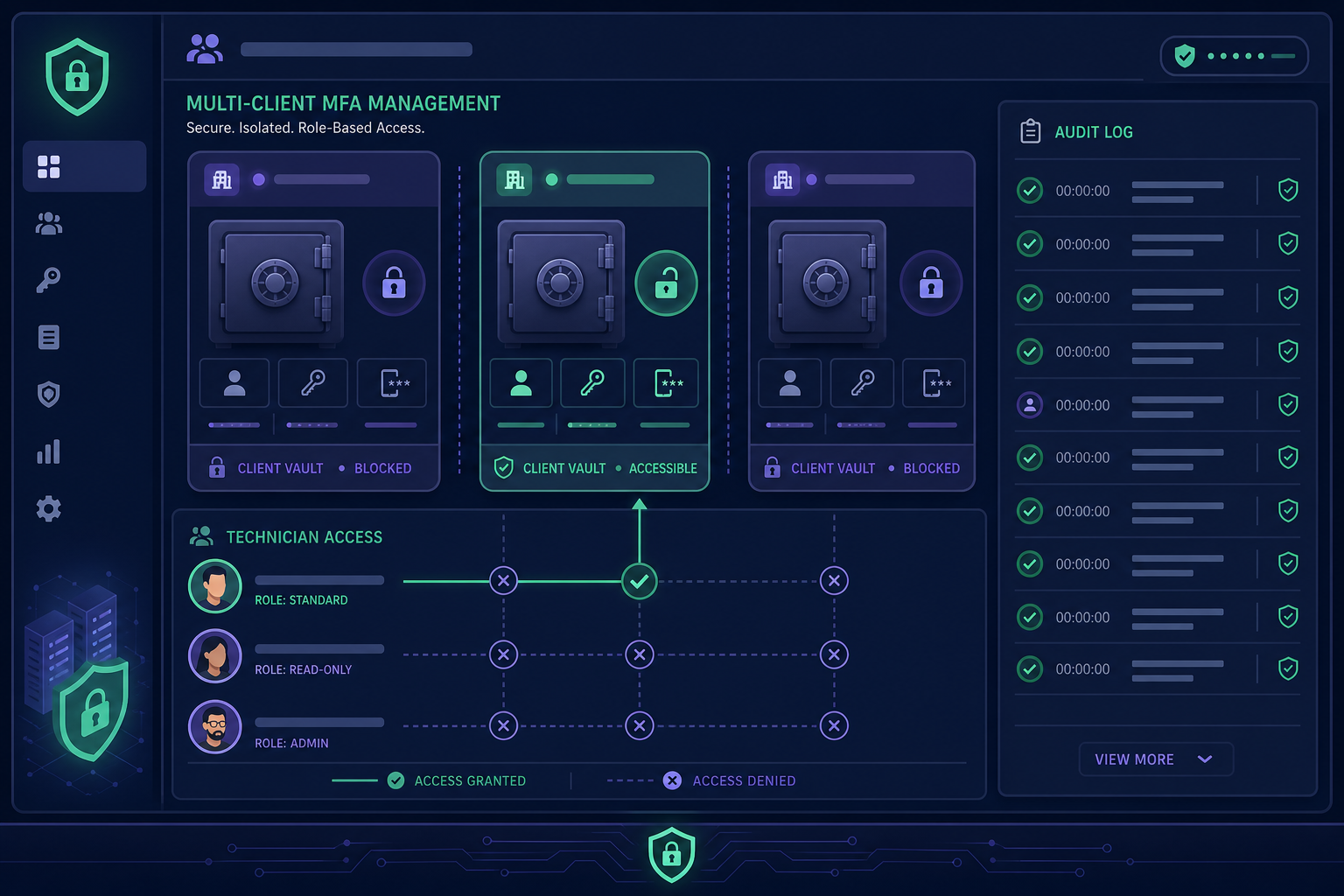
Managed Service Providers (MSPs) face the unique challenge of managing Stripe accounts for multiple clients simultaneously. Storing these secrets in a single shared spreadsheet or a basic password manager creates a massive compliance risk and obscures accountability.
A professional MSP MFA management platform provides dedicated client isolation. This ensures that a technician assigned to one client cannot see or access the authentication codes for another. This architecture allows MSPs to maintain clean audit trails and demonstrate absolute control over administrative access during client security reviews or SOC2 audits.
Troubleshooting and Recovery
If a team member loses access to their MFA device and lacks their backup code, an account administrator can reset their two-step authentication via the Team settings page. Stripe then sends a recovery link to the user’s email, allowing them to re-establish access and configure a new authentication method.
To avoid these manual recovery workflows and potential downtime, you should share MFA codes securely through a managed vault. This ensures that even if a physical device is lost or an employee departs, the underlying TOTP seed remains protected and accessible to authorised personnel, maintaining business continuity.
Securing your Stripe account requires moving beyond ad hoc security and adopting a governance-first approach to identity. By centralising your authentication secrets, you gain the visibility and control necessary to protect your organisation's financial infrastructure.
Stop relying on personal phones for your company's security. Start your 14-day free trial with Gatera today and secure your team's Stripe access with a centralised, audit-ready MFA vault.