
How do you secure critical cloud infrastructure without grinding your CI/CD pipelines to a halt? For many teams, MFA feels like a bottleneck, yet leaving administrative accounts unprotected is a risk you cannot afford. Here is how to balance security with developer velocity.
The DevOps Authentication Dilemma
In a high-velocity DevOps environment, the line between human and machine identities is often blurred. You manage developers accessing the AWS console, automated scripts deploying to Azure, and shared service accounts controlling GitHub organisations. When security measures are not integrated into the workflow, they quickly become obstacles.
The traditional approach of tying a multi-factor authentication (MFA) code to an individual's personal smartphone fails at scale. If an engineer is unavailable or leaves the company, your team faces a total lockout from critical systems. To maintain speed, teams often resort to insecure workarounds, such as sharing QR code screenshots in internal chats or disabling MFA for "automation" accounts. These practices bypass essential security controls and invite compromise.
Best Practices for Cloud Infrastructure MFA
Securing your cloud footprint requires a tiered approach that distinguishes between administrative access and automated workloads. By moving away from fragmented, device-based authentication, you can implement a governance-first model that satisfies both security and operational requirements.
Hardening Cloud Provider Access
For platforms like AWS and Azure, MFA is no longer optional for high-privilege roles. Microsoft now mandates MFA for accounts signing into the Azure portal, Entra admin centre, and Intune, particularly for roles like Global Administrator.
- AWS Root User: The root user possesses absolute control over your environment. You should protect it with phishing-resistant MFA, such as a FIDO2 hardware key, and store a backup of the secret in an encrypted repository to prevent lockout. For more detail, see our guide on AWS MFA best practices.
- Azure and Automation: To avoid the friction of interactive MFA during deployments, you should use managed identities or service principals. These allow applications to obtain tokens without developers needing to manage or store credentials in code.
Securing Shared Service Accounts
Shared accounts are often necessary for SaaS tools like Cloudflare or Stripe that may not support modern identity federation in every tier.
- Centralise the Secret: Instead of binding the MFA seed to one person’s device, you should use a shared OTP vault. This acts as a secure, centralised system for storing TOTP seeds, making them accessible to authorised team members.
- Audit Access: Unlike a personal phone, a centralised MFA management platform provides a documented trail of exactly who accessed a code and when, which is essential for compliance and incident response.
Infrastructure Access Control
Your infrastructure's "front door" – the VPN and SSH gateways – must be hardened to prevent lateral movement.
- SSH Protection: Implementing MFA for SSH access ensures that even if a developer's private key is stolen, an attacker cannot gain server access without a time-based one-time password.
- Remote Access: You should harden remote access by enforcing VPN two-factor authentication for every user, particularly those with administrative privileges.
Managing the Workflow Friction
To keep your team efficient, MFA must be integrated into the developer workflow. If it is bolted on as an afterthought, engineers will find ways to bypass it to meet deployment deadlines.
Implementing a Shared OTP Vault
A shared OTP vault resolves the "personal phone" bottleneck by acting as a secure, encrypted repository for the TOTP seeds used by your team. This approach offers several operational advantages:
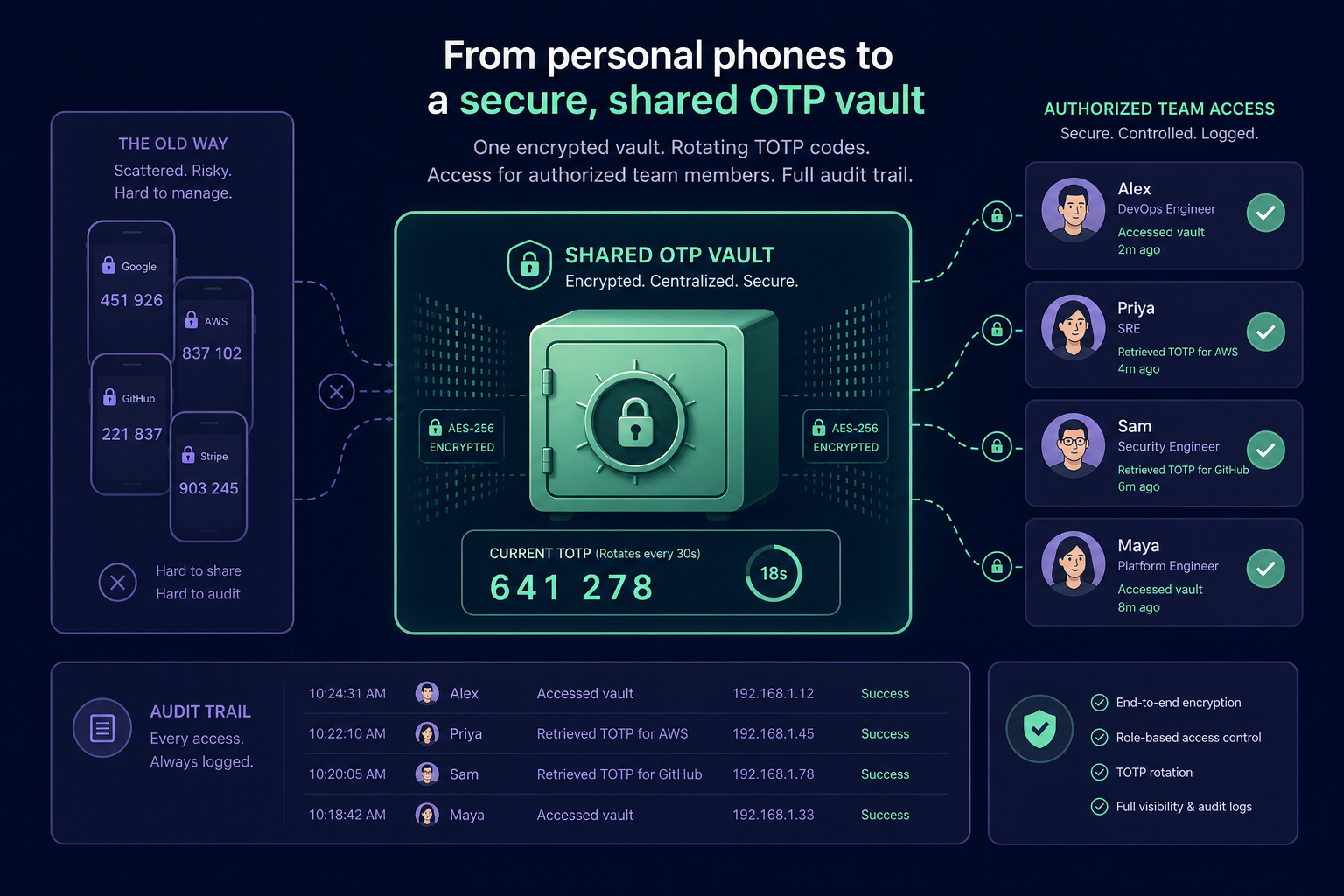
- Instant Onboarding: New engineers gain access to necessary codes immediately upon joining a project, without needing to scan QR codes from a colleague's screen.
- Secure Offboarding: When a developer leaves, you can revoke their access to the entire vault instantly. This removes the need for the immediate, manual rotation of every shared secret.
- Enterprise Encryption: Professional vaults use AES-256 encryption to ensure that secrets are protected at rest, while remaining accessible to the right personnel.
Least Privilege and Zero Trust
Every identity in your DevOps pipeline should follow the principle of least privilege, ensuring that users have only the minimum access necessary to perform their jobs. Using privileged access management for IT teams allows you to control and monitor identities with elevated permissions.
This aligns with a zero trust MFA strategy, where identity is continuously verified. By moving authentication secrets off personal devices and into a managed environment, you regain the centralised visibility and auditability that a true zero-trust model demands.
By adopting a centralised MFA vault, your organisation can eliminate single points of failure while maintaining the speed your DevOps team requires to deliver.
Ready to secure your team's shared secrets and eliminate the reliance on personal phones? Start your 14-day free trial with Gatera and simplify your MFA management today.