
Are your remote connections protected by more than just a password, or are you leaving the front door unlocked? For IT teams and MSPs, a VPN is the gateway to sensitive data, yet compromised credentials account for 47% of initial access in ransomware claims.
For IT teams and Managed Service Providers (MSPs), a VPN often provides the primary route into the most sensitive areas of a corporate network. However, credentials remain the weakest link in any security chain. Research into ransomware incidents found that 45% of cases involved compromised VPN appliances, highlighting that traditional password-based entry is no longer sufficient for modern infrastructure.
Why Two-Factor Authentication is Critical for VPNs
Multi-factor authentication (MFA) creates a layered defence by requiring a combination of independent factors. These typically include something you know, such as a password; something you have, like a physical token or code; and something you are, such as biometric data. By demanding multiple forms of verification, you significantly reduce the risk of unauthorised entry even if a password is stolen.
In a Zero Trust architecture, identity becomes the new security perimeter. National cybersecurity authorities recommend hardening remote access VPNs by enforcing MFA for every user, particularly those with administrative privileges. Without these controls, a single phished credential can grant an attacker unrestricted access to your internal servers and file systems.
Implementation Options for VPN MFA
When adding multi-factor authentication to a VPN, you have several technical paths depending on your current infrastructure and security requirements.
RADIUS and LDAP Integration
Many established VPN appliances delegate authentication to a RADIUS server. In this configuration, the VPN appliance communicates with the RADIUS server, which then triggers an MFA request. This might include a push notification or the requirement to enter a one-time password (OTP) before the connection is established.
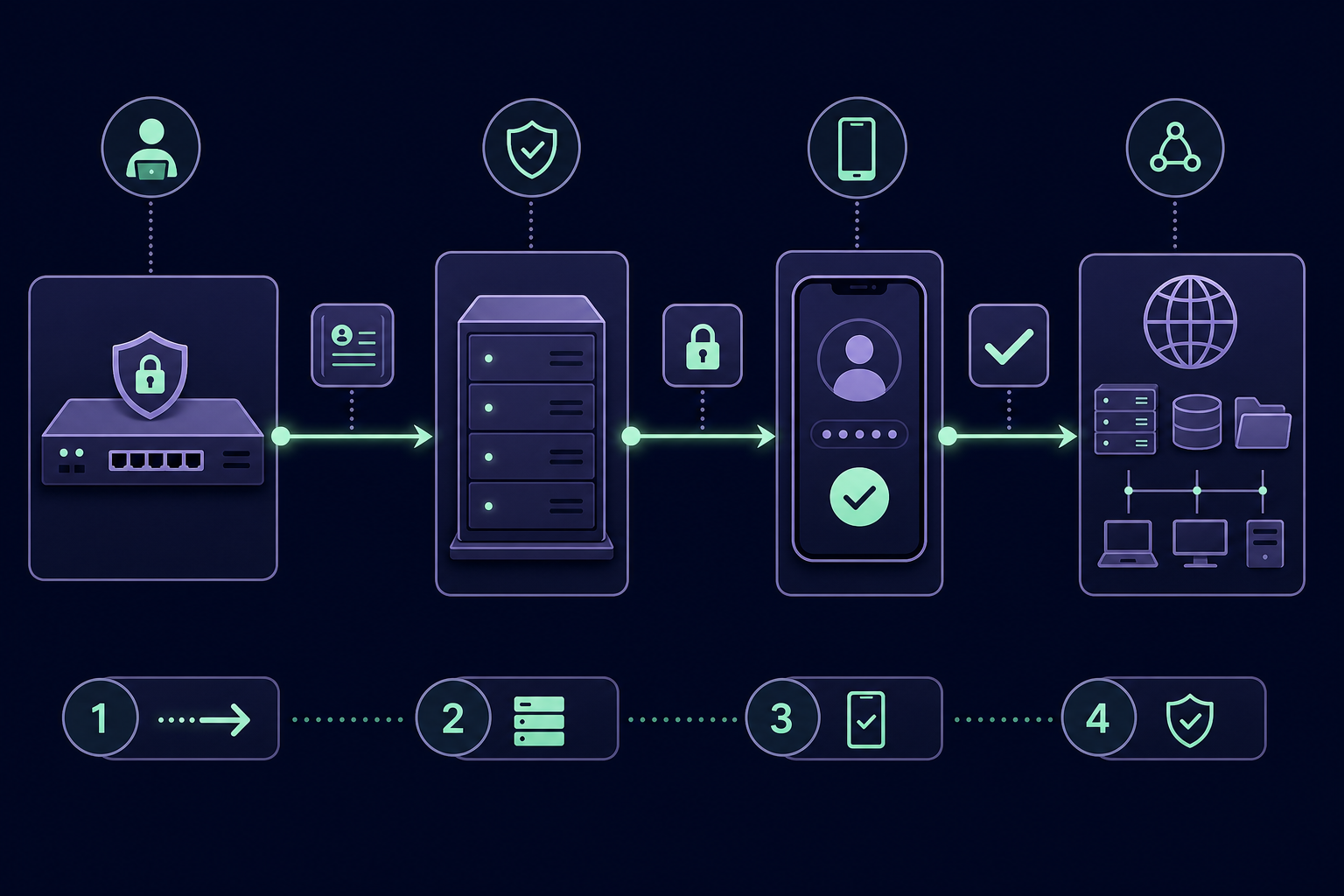
SAML and Cloud Identity Providers
Modern VPNs frequently support SAML (Security Assertion Markup Language), allowing you to offload authentication to a cloud-based Identity Provider (IdP) like Microsoft Entra ID or Okta. This enables you to apply Conditional Access policies that require MFA specifically for VPN logins while simultaneously performing device posture checks to ensure the connecting laptop is managed and secure.
Client-Side Certificate Authentication
For high-security environments, you can replace or augment password-based entry with digital certificates. These certificates are stored on hardware tokens or smartcards, ensuring that only pre-approved, physically verified devices can even attempt to initiate a connection with the VPN gateway.
Common Authentication Factors for Remote Entry
The choice of authentication factor impacts both your security posture and the user experience for your remote workforce.
- TOTP (Time-based One-Time Passwords): These six-digit codes change every 30 to 60 seconds and are widely supported across almost all VPN clients. You can review the technical differences between TOTP and HOTP to understand why time-based codes are the preferred standard for cloud and remote access.
- Push Notifications: Users approve a login request via a mobile application. While this is highly convenient, it is susceptible to "MFA bombing," where attackers spam a user with requests until they accidentally grant access.
- Phishing-Resistant MFA: FIDO2 and WebAuthn hardware keys are the gold standard for security. They are virtually immune to interception or proxy-based phishing attacks and should be prioritised for system administrators and high-value targets.
- SMS and Voice Codes: Although better than relying on passwords alone, these methods are vulnerable to SIM swapping and interception. Security bodies like CISA and NIST discourage their use for any sensitive or privileged systems.
Managing Shared MFA Secrets in IT Teams
A common operational hurdle for IT teams and MSPs is managing the MFA seeds for shared administrative accounts. When a VPN's "break-glass" account or a client's firewall admin login is tied to a single engineer’s personal smartphone, it creates a dangerous single point of failure.
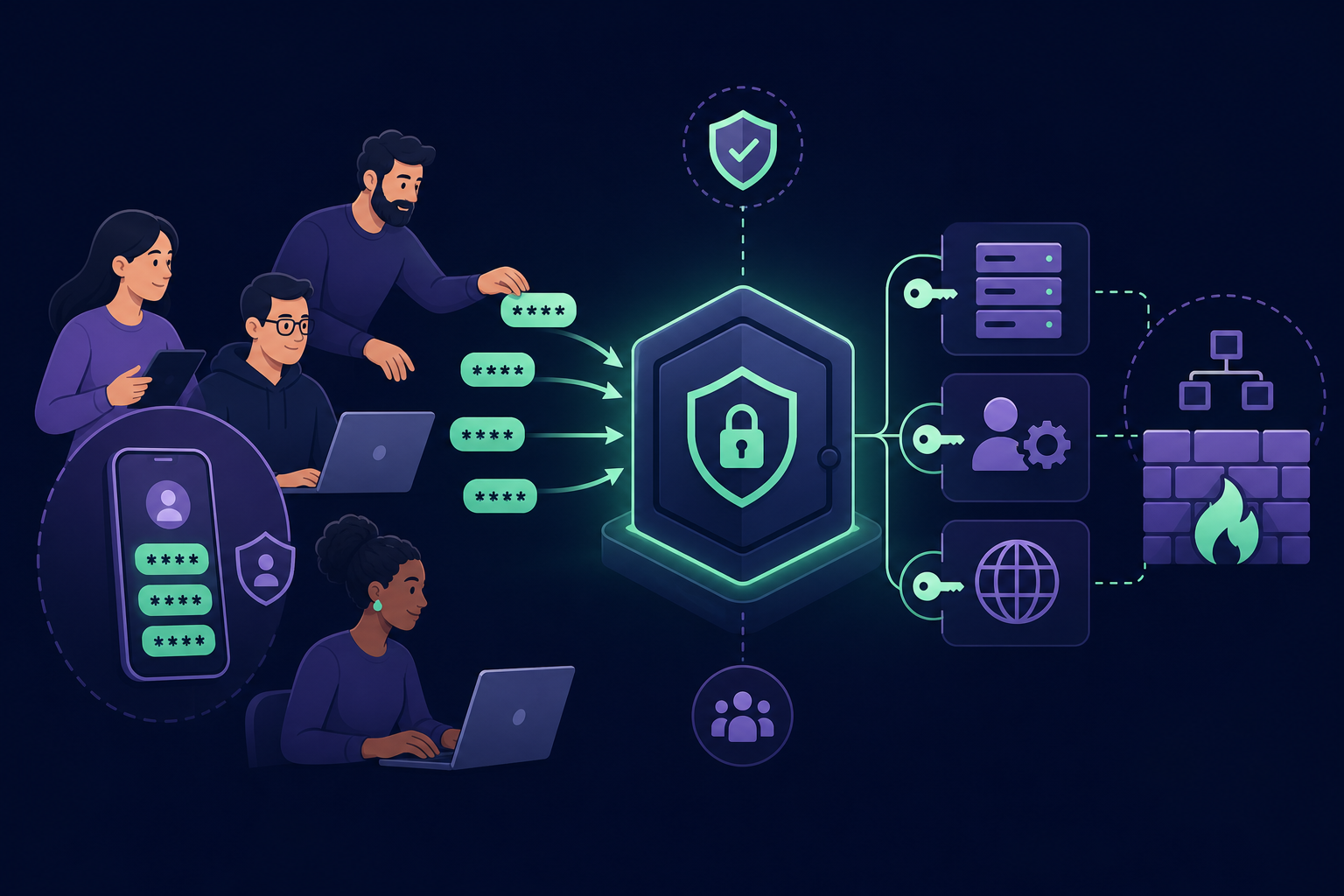
If that engineer is unavailable, loses their device, or leaves the organisation, the entire team faces a lockout. To maintain security and availability, professional teams use a centralised MFA management platform. This approach allows you to:
- Store TOTP seeds in an encrypted vault rather than on individual personal devices.
- Organise codes into team-based groups for specific departments, projects, or clients.
- Maintain a full audit trail detailing exactly who accessed which code and when.
For MSPs, this level of organisation is essential for client isolation. It ensures that technicians only see the authentication codes for the specific clients they are authorised to manage, maintaining strict security boundaries across your entire portfolio.
Implementing two-factor authentication for your VPN is no longer an optional security "extra"; it is a baseline requirement for preventing ransomware and meeting compliance standards like SOC 2. By moving away from fragmented, phone-based authentication and toward a secure way to share MFA codes, you can protect your network without creating operational bottlenecks.
Stop relying on personal devices for your organisation's security. Start your 14-day free trial of Gatera today and centralise your team's MFA access in one secure, encrypted vault.